Wi-Fi Home Cam User Manual
47
Add a camera
We strongly recommend to follow the steps in the printed Installation guide or in this manual, and
install the camera with the MyCam app instead of going through the steps in the portal.
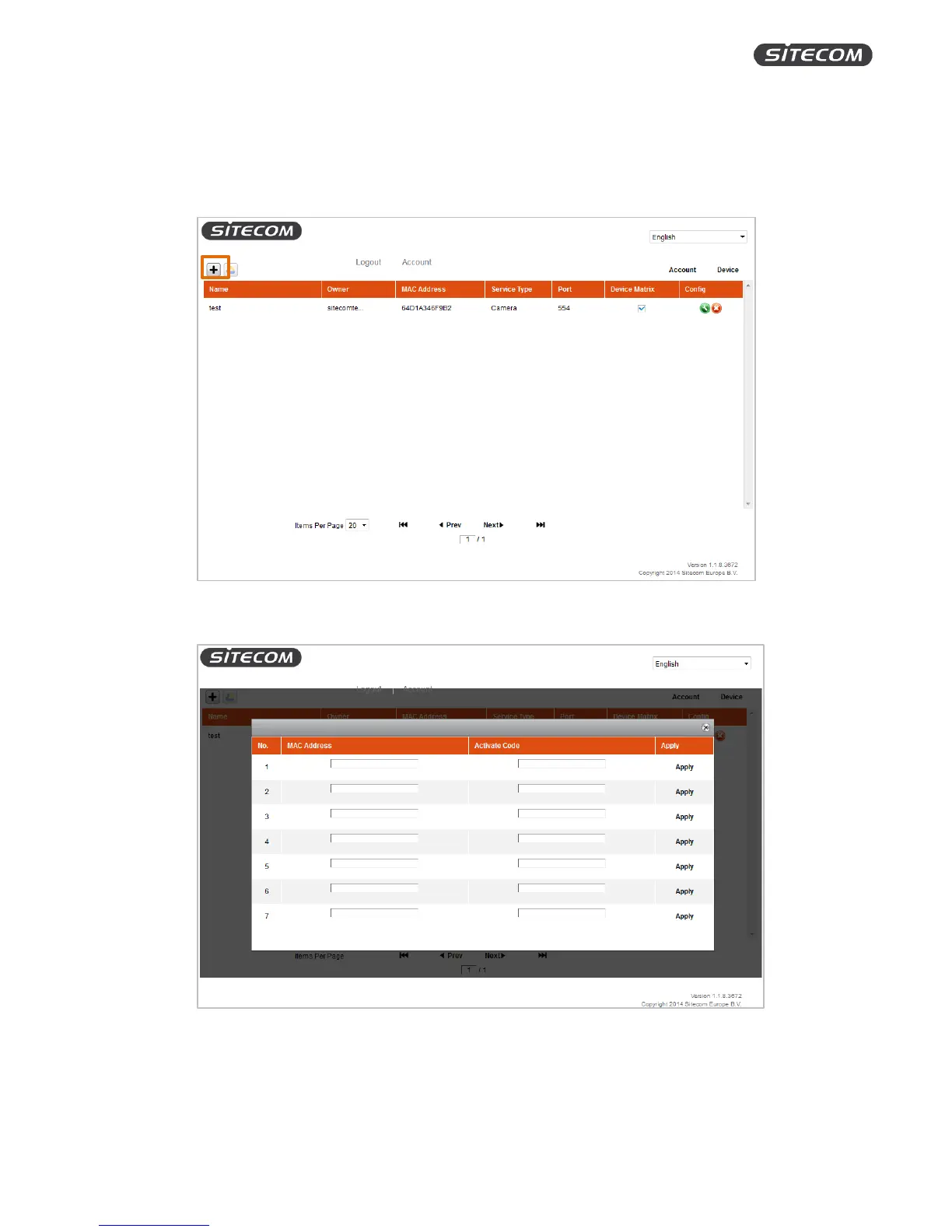
1. Click the plus symbol in the top left corner to add a new camera.
Follow the steps to add a new camera until you get the following screen:
2. Enter your MAC Address and the Activation Code. You can find them on the QR-code flyer
included with your Wi-Fi Home Cam.
3. Click “Apply”. If the installation was successful, the message “Success” will appear instead of
“Apply”.


 To Next Page