Wi-Fi Home Cam User Manual
37
HOME SCREEN
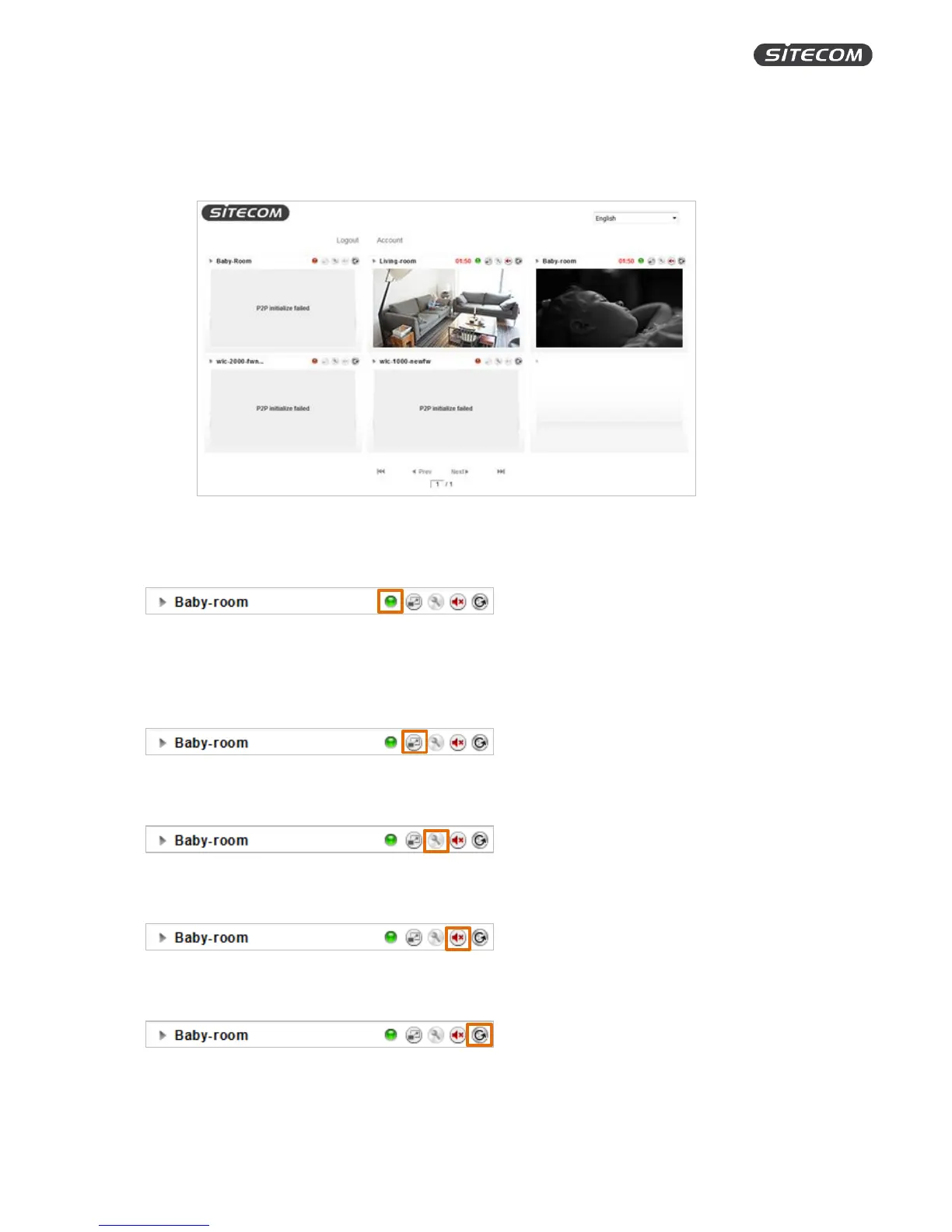
On the home screen you can see all the cameras that have been added to your MyCam account.
Double click on a camera to access the live view screen.
Above each of the screens of your camera sits a status bar with several icons.
Camera status
Green: Online
Orange: Busy
Red: Offline
Timeline
Click to go to the timeline of the camera.
Settings
Click to change the settings of the camera.
Sound
Click to turn the sound on or off.
Refresh
Click to refresh the live stream.


 To Next Page