MK32 User Manual V1.1
115
2023 SIYI Technology, All Rights Reserved
6.2 Input Third-Party IP Cameras / Optical Pods
Before connecting a third-party camera to the air unit, please change its IP
address to “192.168.144.X”. The X should not be “11”, “12”, or “20”, otherwise it
won’t work. The three addresses have been occupied by the air unit, the ground
unit, and the Android system.
Steps
1. In camera settings, check and copy the RTSP address of your camera.
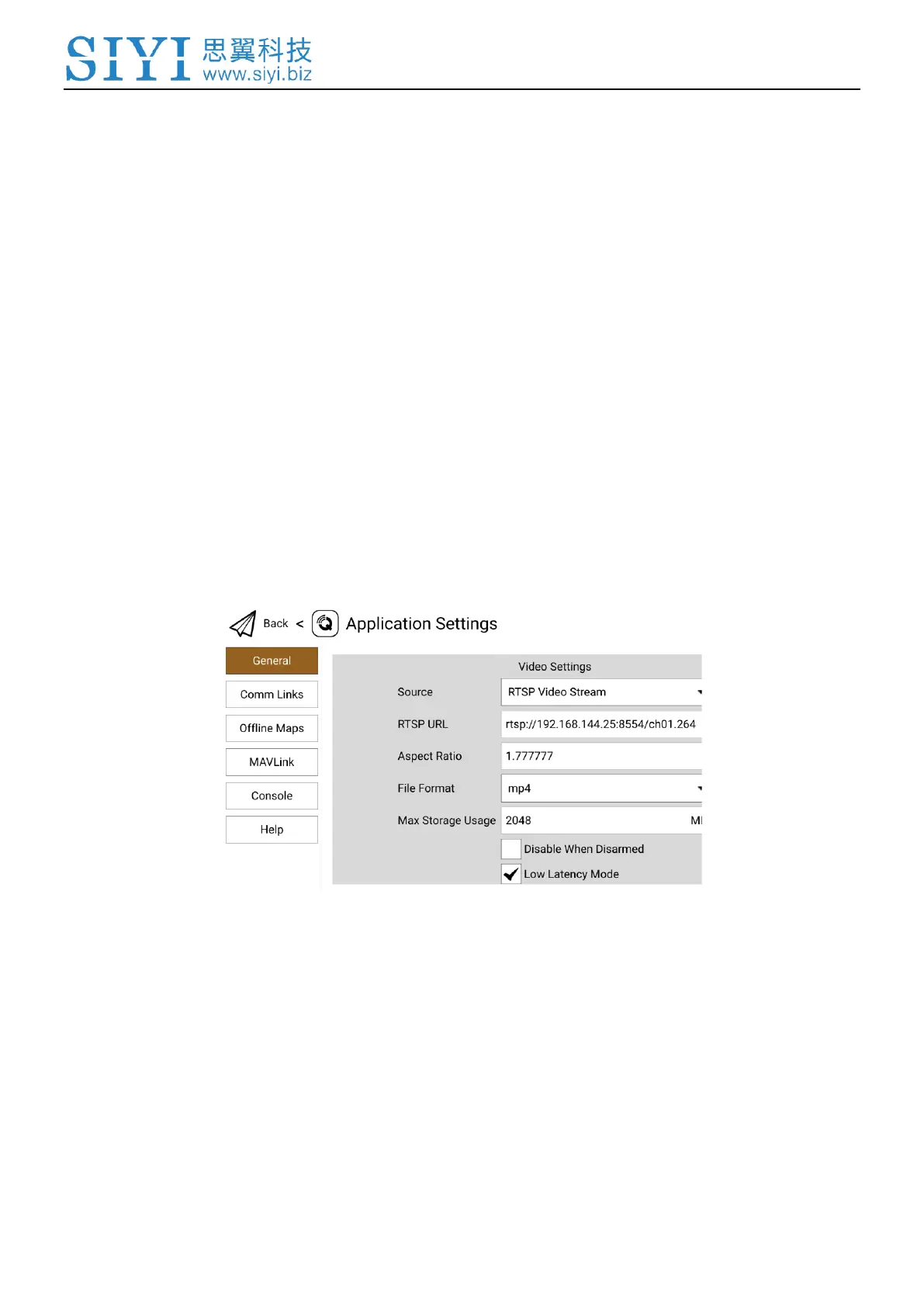
2. Let’s take SIYI QGroundControl as an example. Run QGC, go to “General –
Video Settings”.
3. Configure “Source” as “RTSP Video Stream”. Then input the copied RTSP
address of your camera after “RTSP URL”.
4. Go back to QGC home page to check image display.


 To Next Page