MK32 User Manual V1.1
41
2023 SIYI Technology, All Rights Reserved
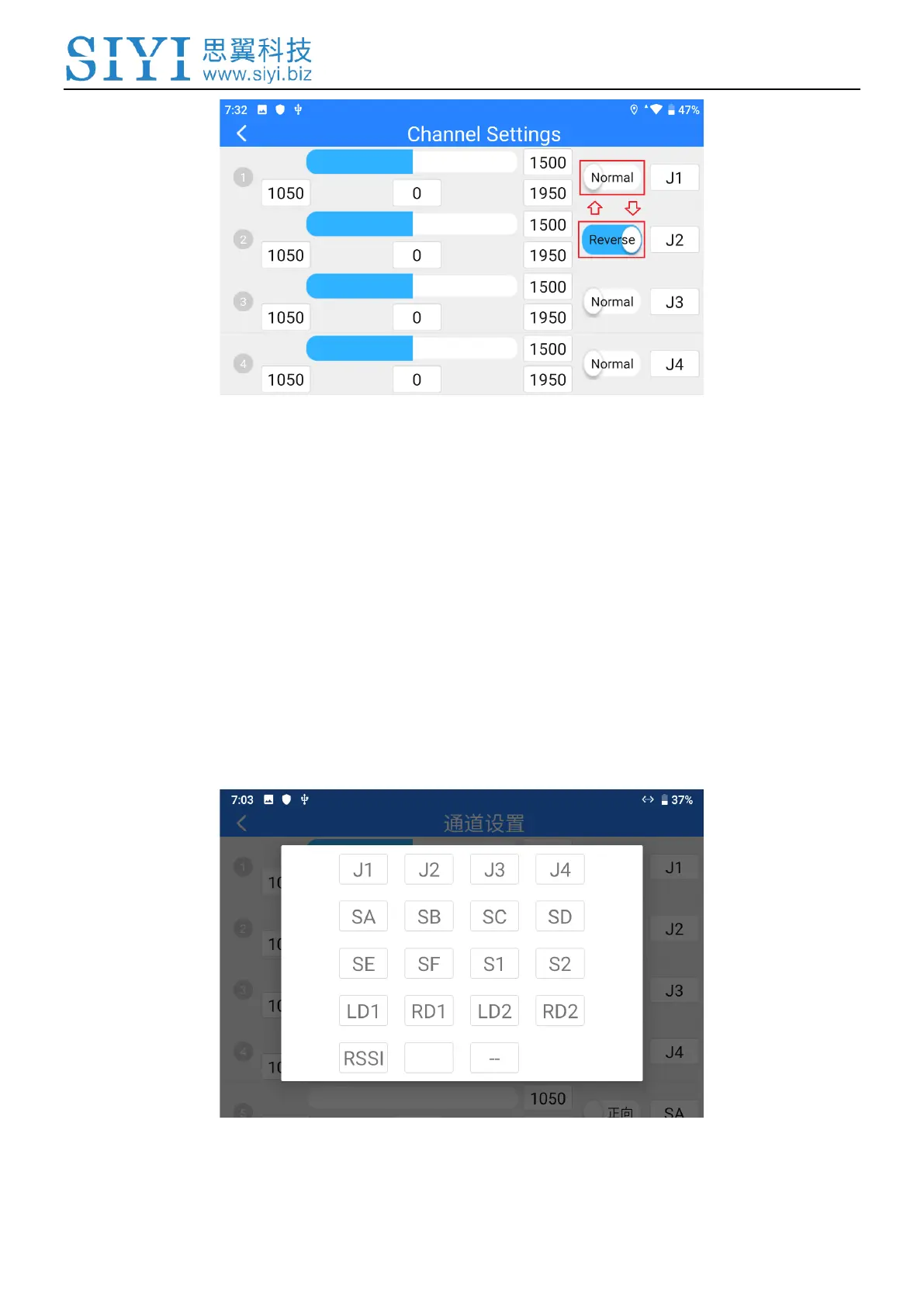
Select a target channel. Then touch the “Normal” or “Reversed” button. It’s done.
3.1.4 Channel Mapping
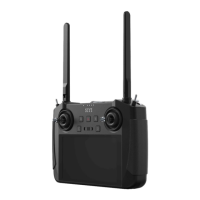
MK32 remote controller has 16 physical channels, an RSSI channel, and 16
communication channels. Users are allowed to define or to map the physical
channels (buttons, switches, joysticks) and the RSSI channel to the
communication channels freely.
Select a target channel. Then touch a mapped button / switch / joystick, it will pop


 To Next Page