EasyManua.ls Logo

SIYI MK15E - User Manual

SIYI MK15E
95 pages
Print Icon
To Next Page IconTo Next Page
Loading...
MK15E User Manual V1.1
1
2022 SIYI Technology Copyright
MK15E
MINI HD HANDHELD GROUND STATION
USER MANUAL
V1.1
Apr 2022

Table of Contents

Question and Answer IconNeed help?

Do you have a question about the SIYI MK15E and is the answer not in the manual?

Summary

1 Introduction to MK15 E

Product Features

Describes long-range 1080P image transmission and dual HD low-latency video stream.

System Components

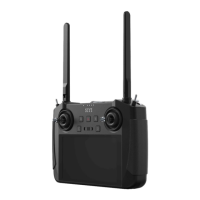
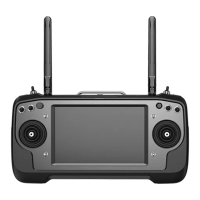
Details the physical parts of the transmitter and air unit.

Technical Specifications

Provides detailed overall, transmitter, air unit, and camera specifications.

2 Get Ready to Use MK15 E

Transmitter Setup and Indicators

Covers transmitter power, charging, indicators, and safety.

Antenna Placement Guide

Provides guidance on correctly positioning transmitter and air unit antennas for optimal signal.

3 SIYI TX App Configuration

Channel Settings

Explains how to configure channel endpoints, midpoints, reverse, and mapping.

Datalink Connectivity Setup

Covers datalink connection types, flight controller, and baud rate configuration.

System Settings

Guides on binding, frequency adaptation, throttle type, and system parameters.

Control Calibration and Settings

Covers settings for buttons, dials, joystick, and dial calibration.

4 Datalinks

Communication Methods

Explains communication with GCS via USB COM, Bluetooth, and UDP.

Disconnection Troubleshooting

Provides steps to resolve telemetry link or connection issues.

5 SIYI FPV App and Image Transmission

SIYI FPV App Settings

Covers decoding type, IP addresses, and cross sight settings in the FPV app.

Image Transmission Setup

Guides connecting IP and HDMI cameras for video stream display.

6 Image Transmission

Using SIYI IP Cameras

Guides on connecting and displaying video from SIYI IP cameras.

Third-Party Camera Setup

Explains connecting and configuring third-party IP and HDMI cameras.

Dual Video Stream Connection

Details how to establish dual video streams from multiple cameras.

7 Android OS

App Installation and Management

Covers downloading, installing, and managing apps on the transmitter's Android system.

8 Firmware Upgrade

Firmware Upgrade Procedure

Details the steps to upgrade the ground unit and air unit firmware using PC software.

9 After-sale Service

Repair Service Policy

Outlines the process for product repair service based on defects or damage.

Warranty, Return, and Refund

Explains the conditions and procedures for warranty, return, and refund services.

Summary

1 Introduction to MK15 E

Product Features

Describes long-range 1080P image transmission and dual HD low-latency video stream.

System Components

Details the physical parts of the transmitter and air unit.

Technical Specifications

Provides detailed overall, transmitter, air unit, and camera specifications.

2 Get Ready to Use MK15 E

Transmitter Setup and Indicators

Covers transmitter power, charging, indicators, and safety.

Antenna Placement Guide

Provides guidance on correctly positioning transmitter and air unit antennas for optimal signal.

3 SIYI TX App Configuration

Channel Settings

Explains how to configure channel endpoints, midpoints, reverse, and mapping.

Datalink Connectivity Setup

Covers datalink connection types, flight controller, and baud rate configuration.

System Settings

Guides on binding, frequency adaptation, throttle type, and system parameters.

Control Calibration and Settings

Covers settings for buttons, dials, joystick, and dial calibration.

4 Datalinks

Communication Methods

Explains communication with GCS via USB COM, Bluetooth, and UDP.

Disconnection Troubleshooting

Provides steps to resolve telemetry link or connection issues.

5 SIYI FPV App and Image Transmission

SIYI FPV App Settings

Covers decoding type, IP addresses, and cross sight settings in the FPV app.

Image Transmission Setup

Guides connecting IP and HDMI cameras for video stream display.

6 Image Transmission

Using SIYI IP Cameras

Guides on connecting and displaying video from SIYI IP cameras.

Third-Party Camera Setup

Explains connecting and configuring third-party IP and HDMI cameras.

Dual Video Stream Connection

Details how to establish dual video streams from multiple cameras.

7 Android OS

App Installation and Management

Covers downloading, installing, and managing apps on the transmitter's Android system.

8 Firmware Upgrade

Firmware Upgrade Procedure

Details the steps to upgrade the ground unit and air unit firmware using PC software.

9 After-sale Service

Repair Service Policy

Outlines the process for product repair service based on defects or damage.

Warranty, Return, and Refund

Explains the conditions and procedures for warranty, return, and refund services.

SIYI MK15E Specifications

General IconGeneral
BrandSIYI
ModelMK15E
CategoryWireless modules
LanguageEnglish

Related product manuals