MK15E User Manual V1.1
64
2022 SIYI Technology, All Rights Reserved
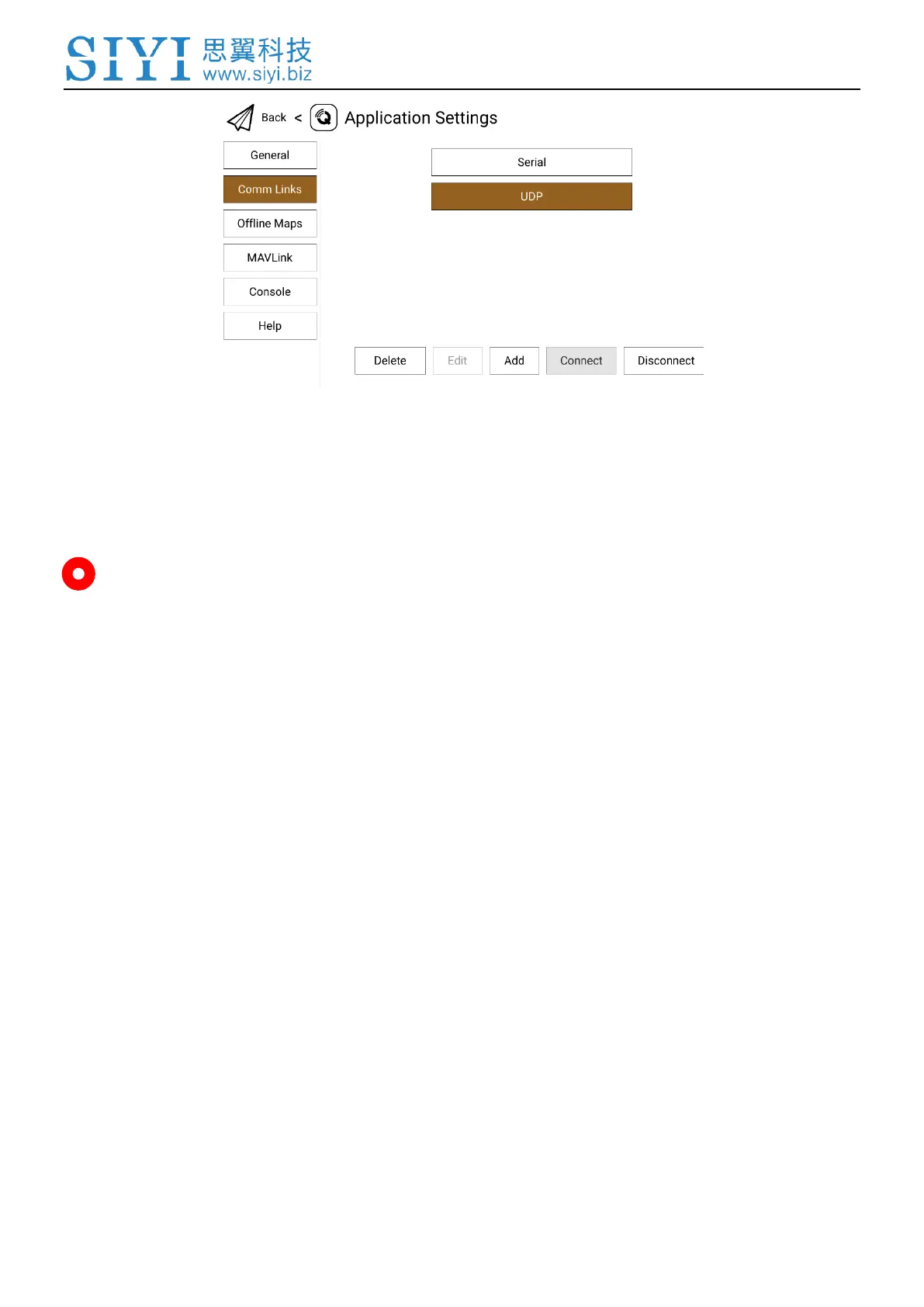
4. Touch the configured “UDP” connection and touch “Connect”, UDP connection
is finished.
Mark
UDP connection has not been updated to mass production. If you would like to try the
connection, please contact SIYI Support directly.
If it is your first time adding a new connection in QGC, please do not check the option
“Automatically Connect on Start”. It can be checked later when you confirm that the
datalink is connected successfully.
4.4 Solutions to Disconnection
If MK15E system failed to establish telemetry link with GCS, please try to follow the
steps below to investigate possible reasons.
1. Confirm if MK15E transmitter is bound with MK15E Air Unit.
2. Confirm if MK15E Air Unit is connected to flight controller through telemetry cable.


 To Next Page