MK15E User Manual V1.1
74
2022 SIYI Technology, All Rights Reserved
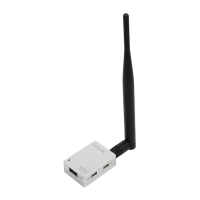
SIYI HDMI Converter A’s RTSP Address: rtsp://192.168.144.30:554/live/0
SIYI HDMI Converter B’s RTSP Address: rtsp://192.168.144.31:554/live/0
Common Video Player: SIYI FPV, QGroundControl, EasyPlayer
Video Display URL: Please refer to the address given in camera settings. Cameras from
different manufacturers come with different URL.
Network Diagnosis Tool: Ping Tools
6.6 Solutions to No Image
If MK15E transmitter failed to display image, please try to follow the steps below to
investigate possible reasons.
1. Confirm if MK15E transmitter is bound with MK15E Air Unit and confirm if the
camera is connected to the Air Unit
⚫ Transmitter and Air Unit status indicator is red.
⚫ Air Unit image transmission indicator is orange.
2. Open “SIYI FPV” app and check if the IP address of the camera or the HDMI
converter is input correctly. SIYI IP camera and HDMI converter have been
labeled with their IP addresses before delivery. For third-party IP cameras,
please refer to the camera settings.
3. In the main menu of MK15E transmitter Android system, check if the Ethernet
icon exists. If not, please enable Ethernet function.


 To Next Page