MK15E User Manual V1.1
37
2022 SIYI Technology, All Rights Reserved
Select a target channel. Then touch a mapped button/switch/joystick, it will pop up
a list of all physical channels. Select the button/switch/joystick you want to re-map
to. It’s done.
3.2 Datalink
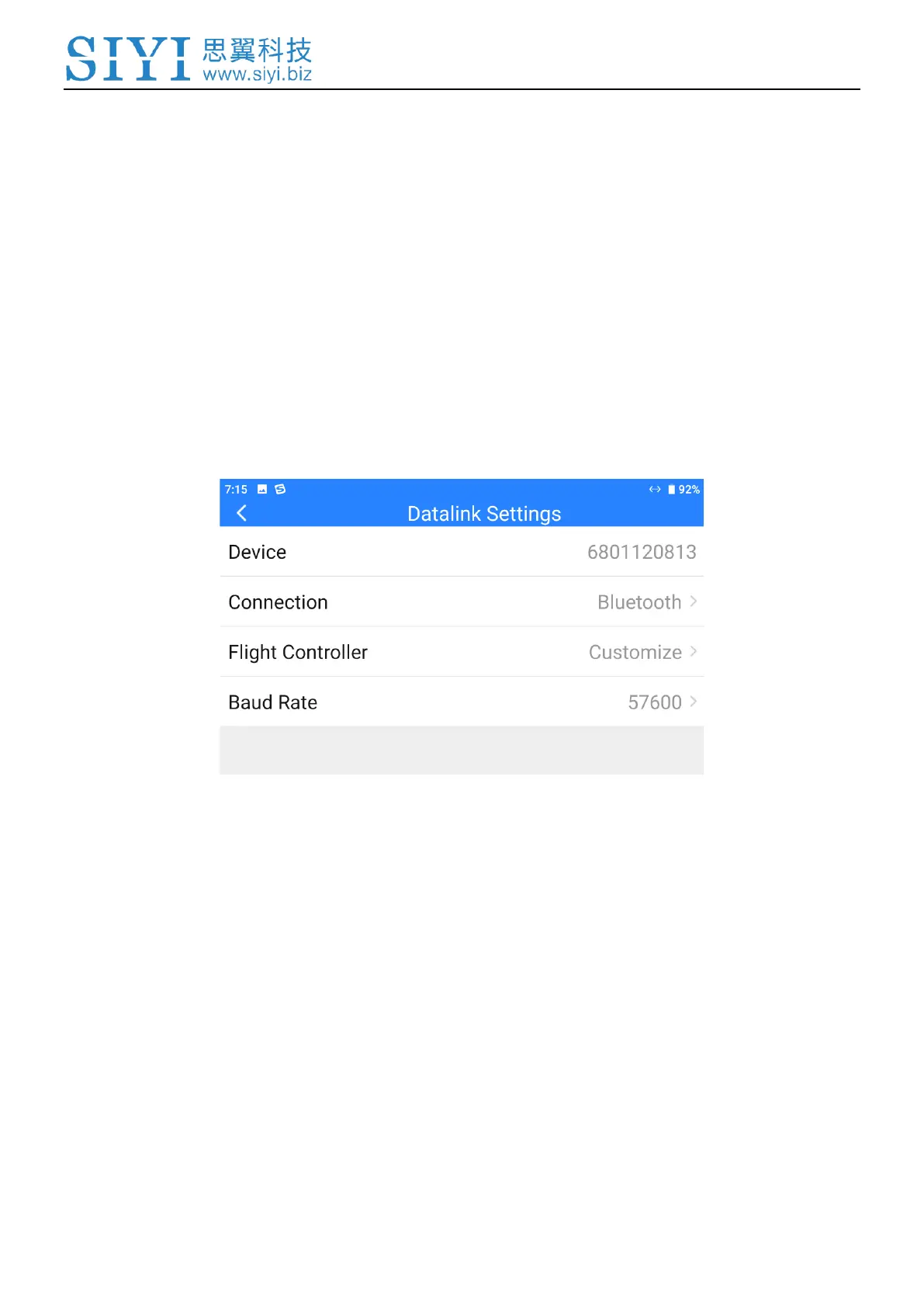
In Datalink Settings you can check the device ID, switch datalink connection and
flight controller type, and configure customized baud rate.
About Datalink Settings
Device ID: Display the device ID of the integrated Bluetooth module in MK15E transmitter.
It shows as the Bluetooth name before matching.
Connection: Supported datalink ports in MK15E transmitter.
Flight Controller: Support flight controller models by MK15E system.
Baud Rate: To configure required baud rate when you use customized flight controller.


 To Next Page