MK32 User Manual V1.1
90
2023 SIYI Technology, All Rights Reserved
4.6 Communication with Windows GCS by UDP through Remote
Controller WiFi Hotspot
4.6.1 QGroundControl
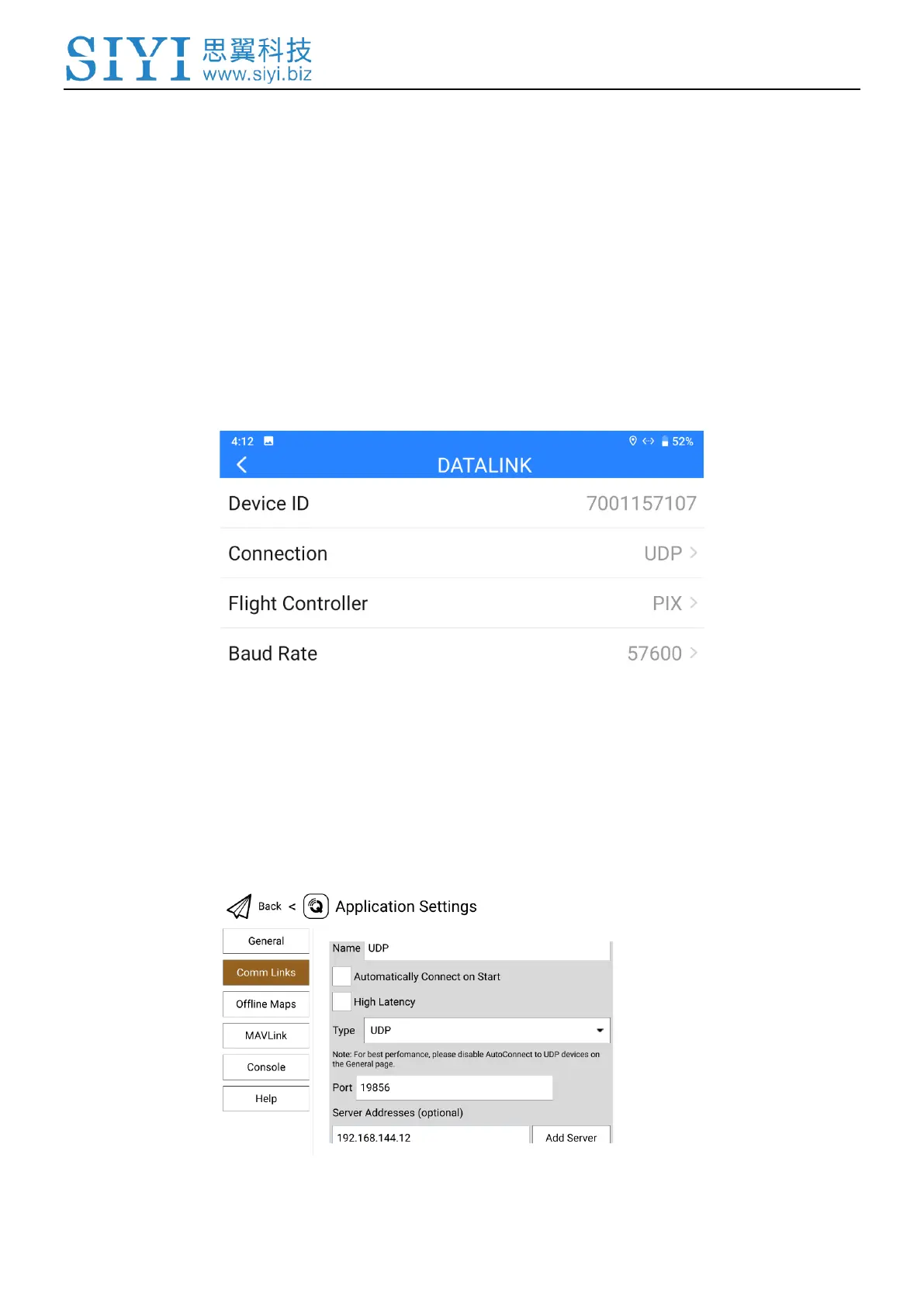
1. In “SIYI TX” app, go to “Datalink”, and choose “UDP” in “Connection”, “PIX /
PX4 / Ardupilot” in “Flight Controller”, and match the baud rate with the flight
controller TELEM port’s.
2. Enable the WiFi hotspot in remote controller Android system, connect the
remote controller with the Windows computer through WiFi.
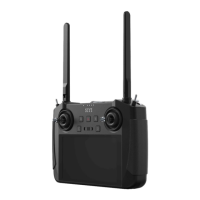
3. Run QGroundControl, go to “Application Settings - Comm Links” page, and
“Add” a new connection. Name it as “UDP”.


 To Next Page