MK32 User Manual V1.1
82
2023 SIYI Technology, All Rights Reserved
4.4 Communication with Android GCS through UDP
4.4.1 QGroundControl
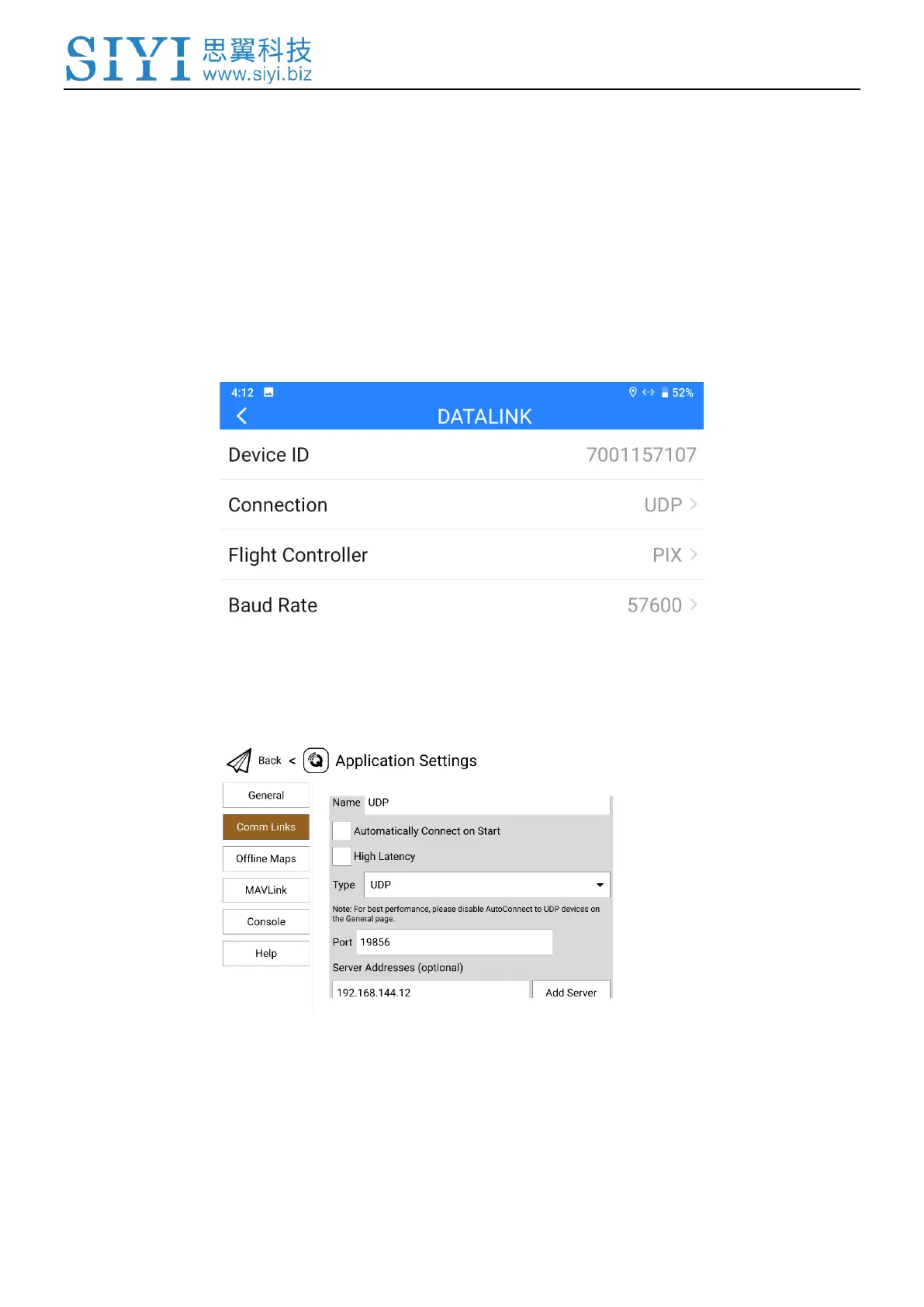
1. In “SIYI TX” app, go to “Datalink”, and choose “UDP” in “Connection”, “PIX /
PX4 / Ardupilot” in “Flight Controller”, and match the baud rate with the flight
controller TELEM port’s.
2. Run QGroundControl, go to “Application Settings - Comm Links” page, and
“Add” a new connection. Name it as “UDP”.
3. Set the connection “Type” as “UDP”, “Port” as “19856”, “Server Addresses” as
“192.168.144.12” and “Add Server”.


 To Next Page