MK32 User Manual V1.1
120
2023 SIYI Technology, All Rights Reserved
6.6 Solutions to No Image
If MK15 remote controller failed to display image, please try to follow the steps
below to investigate possible reasons.
1. Check communication:
⚫ If the remote controller is bound with the air unit (remote controller and air
unit status indicator is green)?
⚫ If the camera is well connected to the air unit (remote controller successfully
pings to the air unit and to the camera IP addresses)?
2. Check software settings:
⚫ SIYI FPV App: If camera IP addresses are correct?
⚫ QGroundControl App: If RTSP addresses are correct?
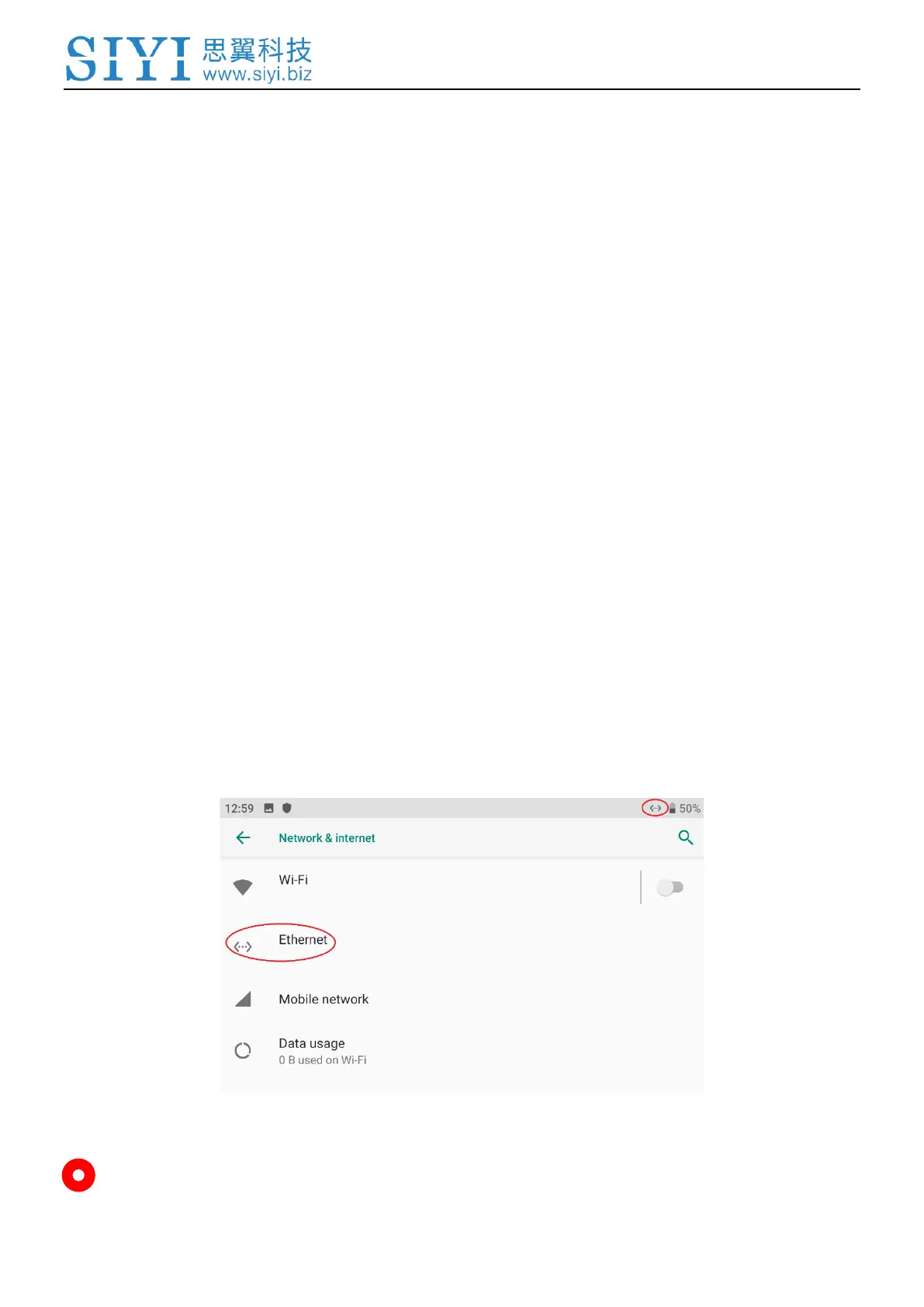
3. Check network:
Ethernet Switch: In Android system status bar, check if the Ethernet icon exists.
If not, please enable Ethernet function in Android system settings.
Mark


 To Next Page
 Loading...