13
Car Mode
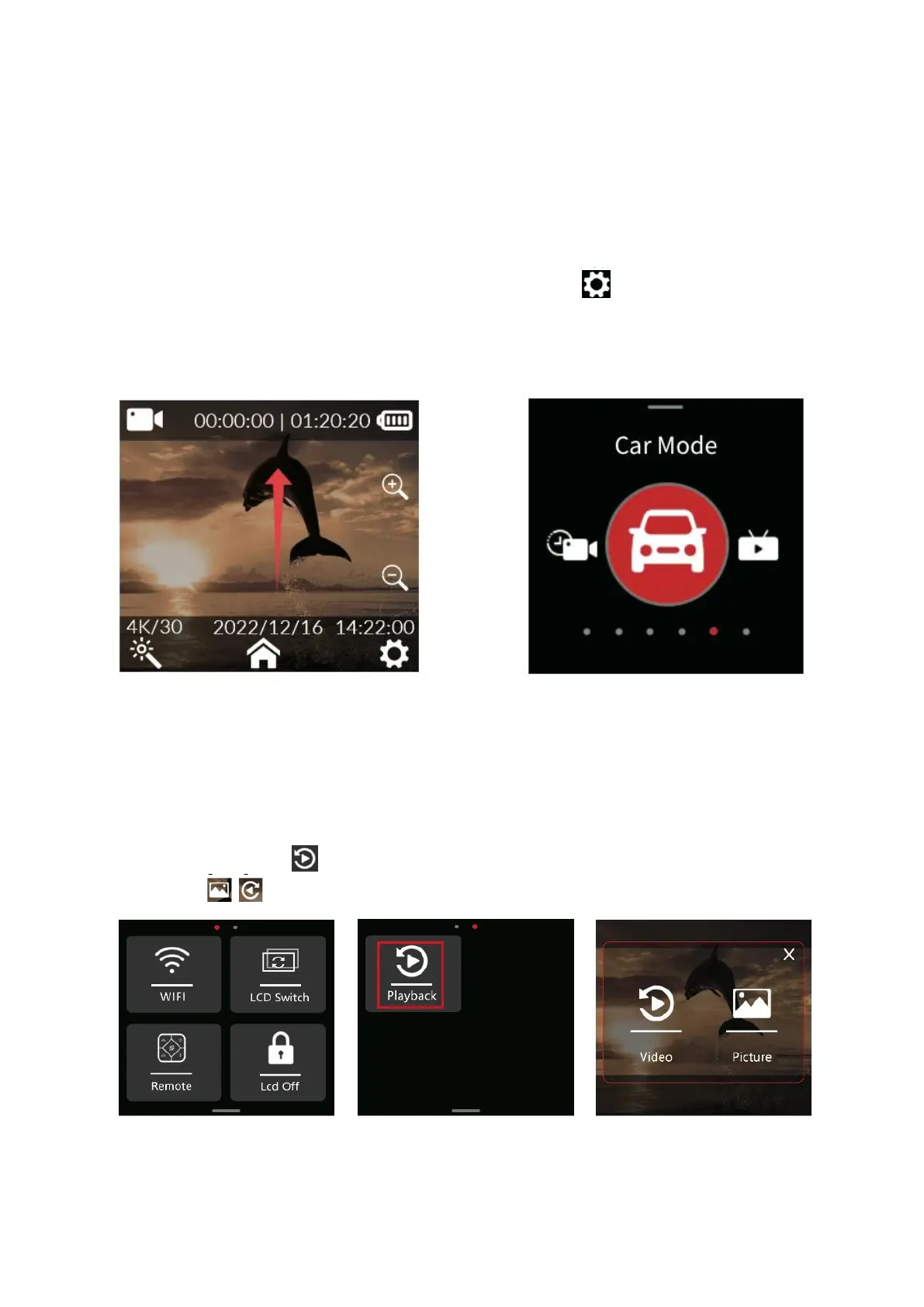
Upon powering on, simply slide the screen upwards (refer to Figure 1) to access the
mode interface. To navigate through modes, effortlessly slide the screen left and right
(refer to Figure 2). To engage car mode recording, just tap the car mode icon.
1. When installing the camera in an upside-down position for car mode, ensure to
activate the rotation mode within the system settings.
2. Once the vehicle power adapter is connected, the camera will seamlessly initiate
recording upon vehicle startup. Upon power disconnection, recording will halt
automatically and the camera will power down within approximately 5 seconds.
Playback
While the camera is powered on, pull down the menu (Figure 1), slide the screen right
(Figure 2), click the playback icon and go to Media Library (Figure 3) to select
video and photo.


 To Next Page