EasyManua.ls Logo

SJCAM C300 - Video Settings; Video Resolution and Encoding; Advanced Video Settings

SJCAM C300
92 pages
Print Icon
To Next Page IconTo Next Page
To Previous Page IconTo Previous Page
Loading...
14
Video Settings
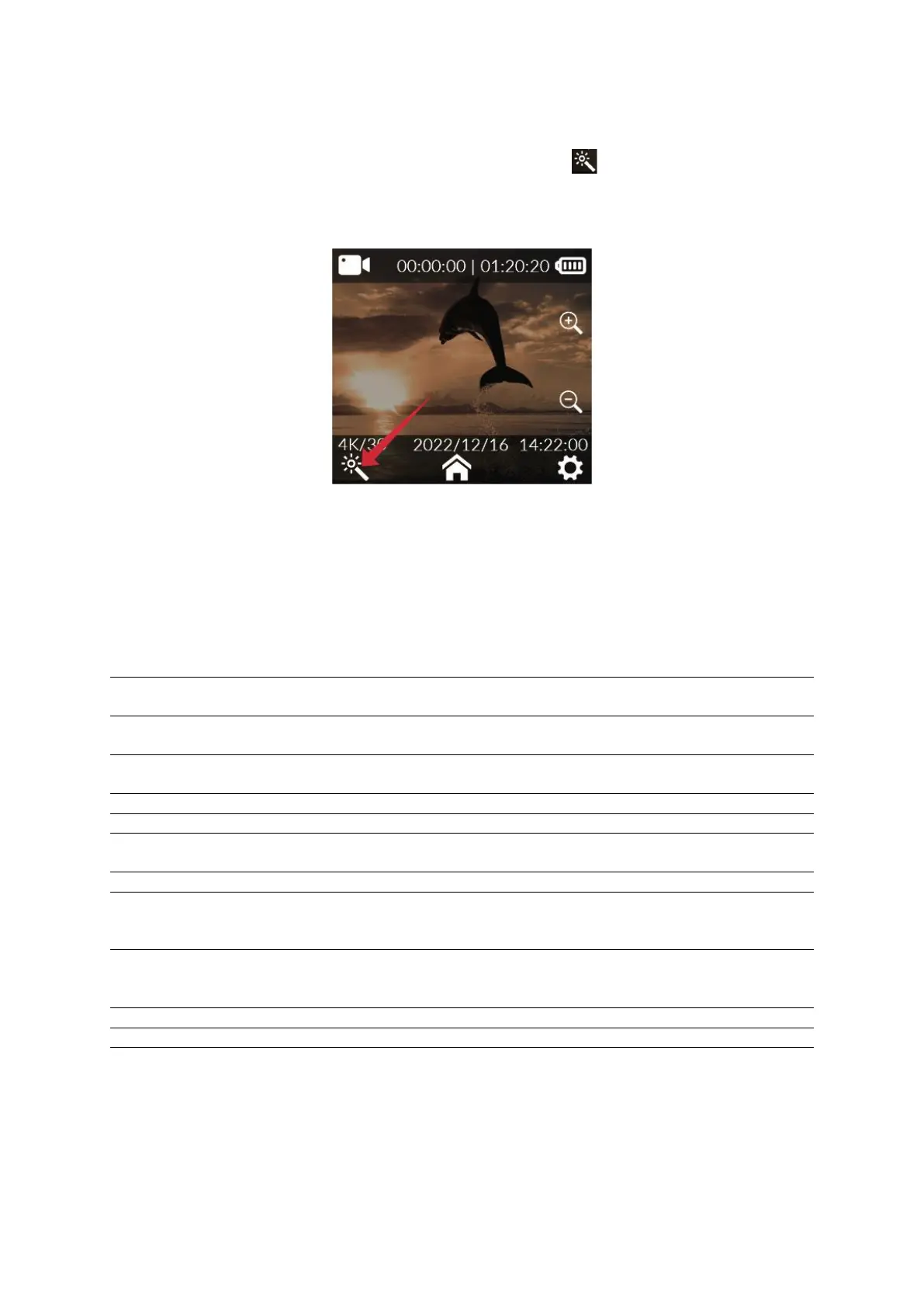
In the video preview screen click at the magic wand icon at the bottom of the
screen, slide the screen to select the option that you need to set and click to confirm the
selection.
Resolution
4K (3840×2160) 30fps,
2K (2560×1440)
60/30fps, 1080P
(1920×1080)
120/60/30fps, 720P
(1280×720)
120/60/30fps
White Balance
Auto, daylight, cloudy,
tungsten, fluorescent
light, underwater mode
Video Encoding
H.264, H.265
ISO
Auto, 100, 200, 400, 800,
1600, 3200
Loop Recording
Off, 3 mins, 5 mins, 10
mins
Sharpness
Strong, standard, soft
Capture Interval
Off, 5 secs, 10 secs, 30
secs, 1 min
Saturation
High, standard, low
Motion Detection
Off, on
Contrast Ratio
High, standard, low
Pre-recording
Off, on
Noise Reduction
High, standard, low
Delayed Recording
Off, 5 secs, 10 secs, 20
secs, 30 secs
Image Brightness
High, standard, low
Viewing Angle
Wide, medium, narrow
Code Stream
High, medium, low
WDR
Off, on
Color
Normal, black and
white, vintage, warm,
cool
Gyroscope Stabilizer
Off, on
Exposure
Compensation
+2.0, +5/3, +4/3, +1.0,
+2/3, +1/3, 0.0, -1/3, -
2/3, -1.0, -4/3, -5/3, -2.0
Sound Recording
Off, on
Metering Mode
Average, center, spot
Date Tag
Off, on
Fisheye Correction
Off, on
Logo
Off, on