8
How to pair a remote control with a camera
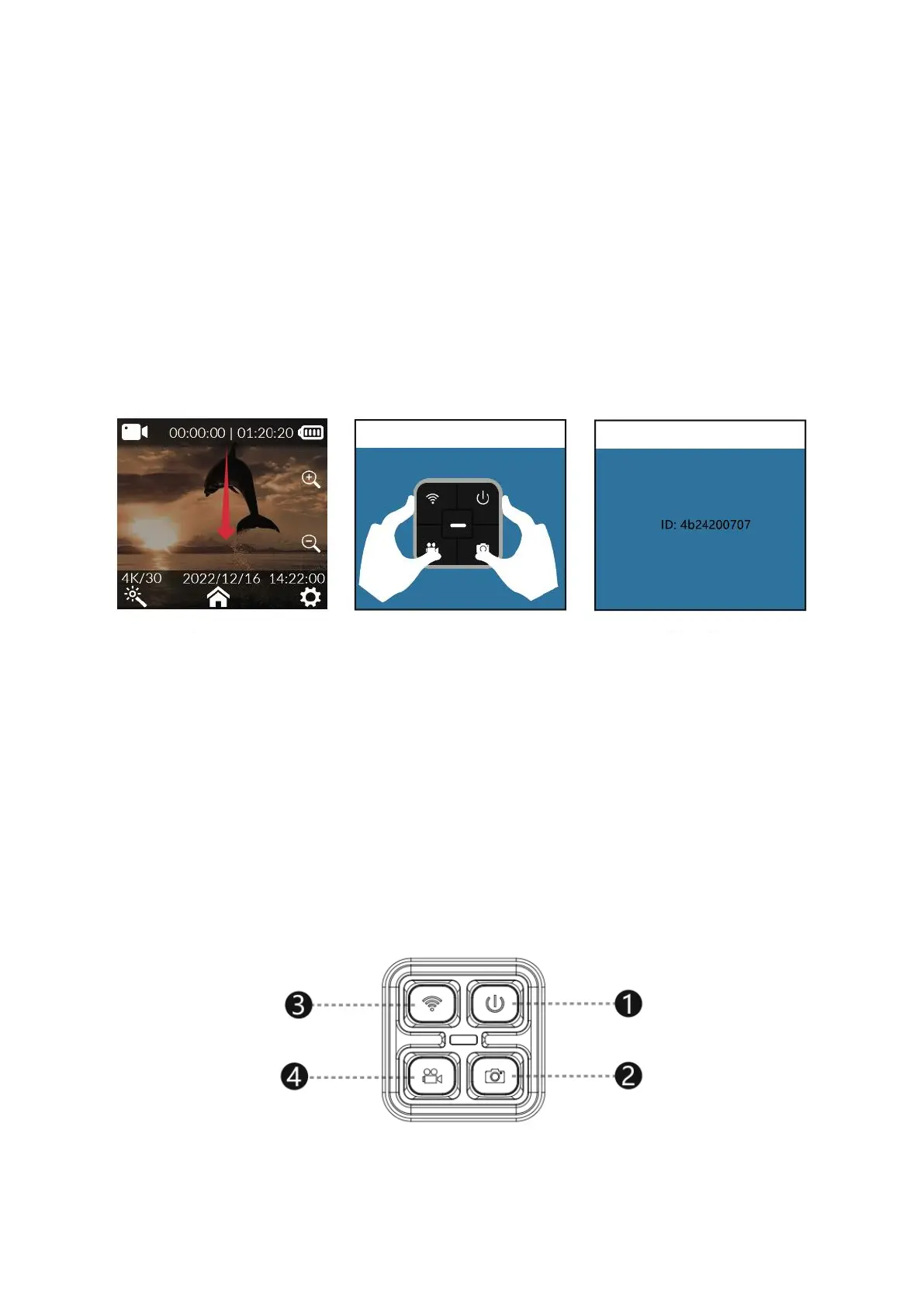
1. Turn on the camera and enter the preview screen.
2. Swipe down from the top of the screen (Figure 1).
3. Tap the remote control icon and select "Remote control matching". The camera will
enter the remote control matching interface (Figure 2).
4. Press the video button and photo button on the remote control at the same time.
The camera will show "Matching completed" after successful pairing (Figure 3).
5. You can now operate the camera by remote control.
Remote control buttons
• Shutdown key: Turns off the camera.
• Photo key: Takes a photo.
• Wi-Fi key: Turns on or off the camera's Wi-Fi.
• Video key: Starts or stops recording a video.
Note: The remote control is not a standard accessory and must be purchased
separately.



 To Next Page