8
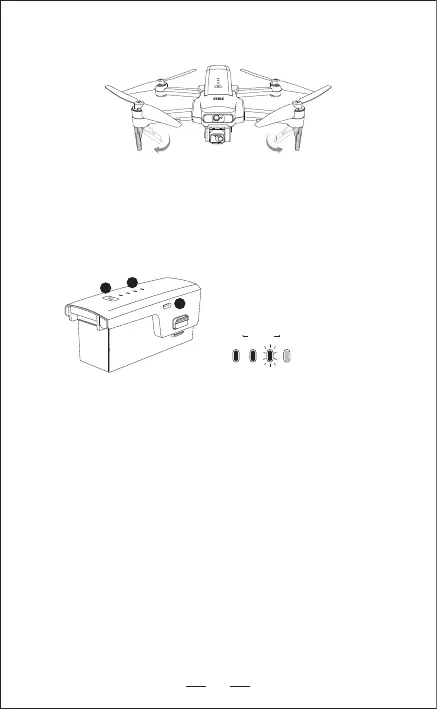
3. LANDING GEAR
Low Electricity High
1. Battery switch
2. Battery power indicator
3. Type-C charging port
4. INTELLIGENT FLIGHT BATTERY
— Hold the switch button for 3 sec. power on; then press the button for 3 sec.
power off.
— When the battery in low voltage,Blue indicators will be blinking, now please
charge the battery.
1
2
3
As shown in the picture above, please unfold the two front landing gears
separately.
Please unfold the landing gears(shown as above)before flight, otherwise
it may affect the WIFI image transmission distance.


 To Next Page