19
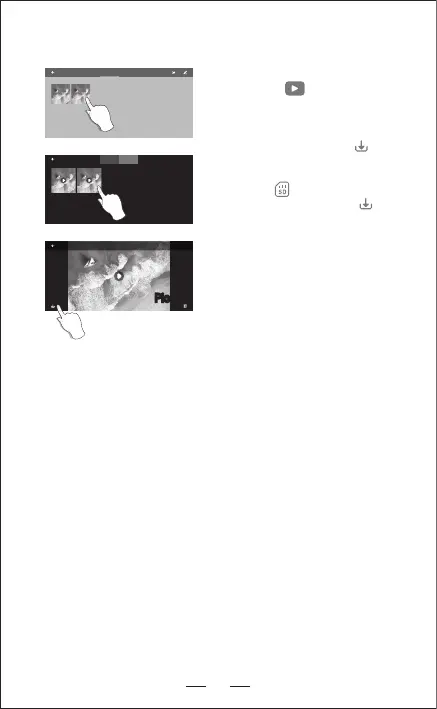
6. SAVE THE PHOTO AND VIDEO TO THE MOBILE APP ALBUM
Open the APP and connect the WIFI with the
aircraft, click the , enter into the media
library (Pic.1).
APP album: Choose photo and video and save
them in the mobile album, click , photo
and video are saved in the mobile album.
SD card: Click , choose photo and video
and save them in your mobile, click , photo
and video are saved in the mobile album.
NOTE: After shooting and recording finished,
photo and video will be saved in the APP
album and SD card, the resolution of photo
and video saved in the APP album is different
that in SD card.
PHOTO VIDEO
Pic. 1
PHOTO VIDEO
Pic. 2
Pic. 3Pic. 3


 To Next Page