FLIGHT
12
Step 2: Turn on the aircraft and set down on
a level surface
— The aircraft will auto-trim to this level surface.
— Four aircraft arms -- Blinking Red.
— Power on the remote control and link the
aircraft automatically.
— Lights flashing blue (back) and white (front).
1. Compass Calibration Part 1
— Push the joysticks into the 1 & 11 o’clock
position.
— Lights rapid-blinking Blue / red (back) and
White / red (front).
— App aircraft status: “Compass calibration”.
Step 4: Compass Calibration
Remark: The compass will be calibrated automatically when the magnetic
interference occur, it is necessory to calibrate the compass manually.
— Pick up the aircraft horizontally and turn it
around with your body(360°) and the remote
control will send out a beeping sound.
— Blue light + red light (front) of the aircraft--
Solid on.
Step 5: Compass Calibration--Part 1
STEP 3:FREQUENCY PAIRING INSTRUCTION
Enter into the APP first page — — , following the instructional
video.
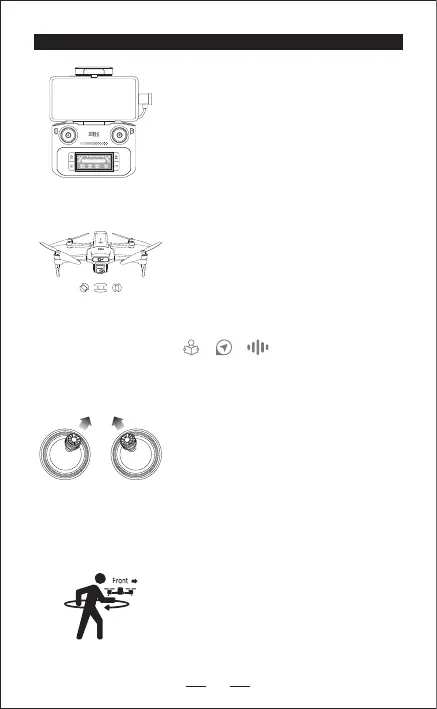
STEP 1:
Insert the connector cable on the remote control
with the mobile device, click once to check the
elecric quantity; then keep pressing for 3
seconds to power on.
(It takes about 45 seconds for the frequency
pairing after starting the system.)


 To Next Page