EasyManua.ls Logo

SKF MAX-1-2-115-IF105-R-V2 - User Manual

SKF MAX-1-2-115-IF105-R-V2
47 pages
Print Icon
To Next Page IconTo Next Page
Loading...
CHANGE OVER VALVE UNIT
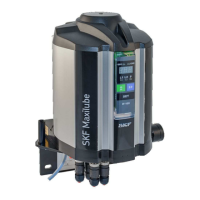
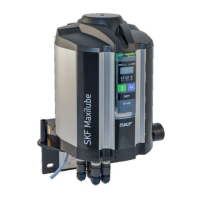
SKF MAXILUBE
(Translation from original Finnish operating and maintenance instructions compliant
with EU Directive 2006/42/EC)

Table of Contents

Other manuals for SKF MAX-1-2-115-IF105-R-V2

Questions and Answers

  • J
    Jennifer StoneSep 10, 2025
    What to do if the SKF Control Unit pump starts but pressure does not increase?
    • J
      Jody KellySep 10, 2025
      If your SKF Control Unit pump starts but the pressure does not increase, it may be due to insufficient air pressure. Check that the pressure at the pressure air regulator is 3.5–4.5 bar. Also, check the air supply hoses for leaks.
  • M
    Mr. Jacob MartinAug 22, 2025
    What does it mean if the SKF MAX-1-2-115-IF105-R-V2 Water Pump user interface displays lubricant low level alarm in a lubrication channel?
    • M
      miguel46Aug 23, 2025
      If the user interface of your SKF Water Pump displays a lubricant low level alarm in a lubrication channel, this indicates that the lubricant barrel is empty. Replace the lubricant barrel and then reset the alarm.
  • I
    iwaltersAug 25, 2025
    What to do if there is considerable grease leakage at the lubrication point of the SKF MAX-1-2-115-IF105-R-V2 Water Pump?
    • C
      Cameron LopezAug 25, 2025
      If you observe considerable grease leakage at the lubrication point and the bearing temperature rises in your SKF Water Pump, it suggests that the lubrication cycle has been set too short. Check the correct lubrication cycle at the doser setting table of the lubrication system in question.
  • A
    arthurbowmanAug 27, 2025
    What to do if the SKF MAX-1-2-115-IF105-R-V2 user interface displays alarm for high pressure in a lubrication channel?
    • J
      Jamie GeorgeAug 27, 2025
      If the user interface displays an alarm for high pressure in a lubrication channel for the SKF Water Pump, and the pressure at the pressure control unit is above the set pressure low limit value when pressurization starts, the control valve at the hydraulic part may not be operating. Replace control cartridge CHV-100 when necessary.
  • T
    Tracey AndersonAug 27, 2025
    What to do if the SKF Water Pump does not start?
    • J
      James BrownAug 28, 2025
      If the SKF Water Pump doesn't start, it could be due to several reasons: the pressure air supply might be closed, the pressure air level might not be high enough, or the supply voltage might be off. To resolve this, turn on the pressure air supply by pressing down the shut-off valve button or set the air pressure to 3,5-4,5 bar using the pressure regulator and the pressure gauge. Also, check that the pressure at the pressure air regulator is 3,5-4,5 bar. Inspect the pressure air supply piping for leaks. Ensure the LED-signal of the pump is lit, the supply voltage is on, and the M12 cable is correctly connected and in good condition.
  • C
    Colleen MckayAug 29, 2025
    Why does the SKF MAX-1-2-115-IF105-R-V2 start but the pressure does not rise?
    • T
      Tommy ThompsonAug 30, 2025
      If the SKF Water Pump starts but the pressure doesn't rise, the pressure air level might not be high enough. Check that the pressure at the pressure air regulator is 3,5-4,5 bar and inspect the pressure air supply piping for leaks.
  • U
    udavisSep 18, 2025
    How to fix SKF Control Unit when the display and LEDs are not lit?
    • W
      William TownsendSep 18, 2025
      If the user interface display and the LEDs are not lit when the internal control unit of your SKF Maxilube is in use, it indicates there is no supply voltage to the pumping centre. Check the supply voltage.
  • S
    steelekellySep 12, 2025
    Why does SKF Control Unit pump start but pressure doesn't increase?
    • N
      Nicholas AndersonSep 12, 2025
      If your SKF Control Unit pump starts but the pressure does not increase, it could be because the grease filter is clogged, there is air in the suction piping, or there are impurities in the pump’s suction inlet. Clean or replace the grease filter cartridge. Bleed the pump by opening the grease filter bleed screw or the pump’s pressure connection. Check that only grease and no air comes out of the bleed screw or the pressure connection. Contact Oy SKF Ab.
  • K
    Kim HinesSep 8, 2025
    Why doesn't the SKF Control Unit pump start?
    • B
      brianandersonSep 8, 2025
      If the pump of your SKF Control Unit does not start, it could be because the compressed air supply has been cut off or the air pressure is insufficient. Turn on the compressed air supply by pressing down the shut-off valve button. Check that the pressure at the pressure air regulator is 3.5–4.5 bar. Check the air supply hoses for leaks.
  • A
    Anna AlexanderSep 5, 2025
    What to do if the SKF Control Unit displays a high pressure alarm?
    • A
      Adrienne CraigSep 5, 2025
      If the user interface of your SKF Control Unit displays a high pressure alarm for a lubrication channel, it could be due to the lubricant stiffening in the piping because of the operating conditions, such as cold or heat, or the control valve of the changeover valve unit is not working. You should set the lubrication cycle longer or replace the lubricant with one appropriate for the operating conditions and reset the alarm. Check that the setpoints for high and low limit pressure are correct. If necessary, contact Oy SKF Ab. Check the pressure of the compressed air. Check the operation of the solenoid valves MV1 and MV2.

Summary

Safety instructions

General safety instructions

General safety rules, including reading instructions and observing regulations.

General behaviour when handling the product

Rules for safe handling, operation, and maintenance of the product.

Intended use

Defines the product's intended application and user limitations.

Foreseeable misuse

Lists prohibited uses that could lead to risks or damage.

Persons authorised to operate the device

Defines roles and qualifications for operating the device.

Operation

Key operational considerations, including emergency stops.

Commissioning and daily start-up

Steps for initial setup and daily operation procedures.

Lubricants

Lubricant selection

Guidance on choosing appropriate lubricants and seeking SKF assistance.

General description

Operation

Operation of the pumping centre

Describes the basic operation sequence of the pumping centre.

Commissioning

Steps for initial setup, including safety warnings.

Maxilube with ECO lid set

Detailed installation steps for the ECO lid set.

Maxilube with STA lid set

Detailed installation steps for the STA lid set.

Replacing the lubricant barrel

Procedures for safely replacing the lubricant barrel.

Maxilube ECO

Specific steps for replacing the barrel with an ECO lid.

Maxilube STA

Specific steps for replacing the barrel with an STA lid.

IF-105 user interface

IF-105 operation

IF-105 settings

IF-105 technical specification

Maxilube technical specification

Periodic inspections

Troubleshooting

Malfunctions

Identifies common malfunctions and initial checks.

Troubleshooting table

A table listing issues, causes, and solutions.

Shutdown, decommissioning and storage

SKF MAX-1-2-115-IF105-R-V2 Specifications

General IconGeneral
BrandSKF
ModelMAX-1-2-115-IF105-R-V2
CategoryWater Pump
LanguageEnglish

Related product manuals