EasyManua.ls Logo

SKF MAX-1-2-24-X-R-V2 - User Manual

SKF MAX-1-2-24-X-R-V2
47 pages
Print Icon
To Next Page IconTo Next Page
Loading...
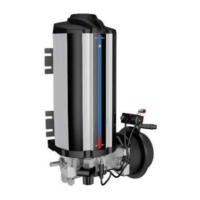
CHANGE OVER VALVE UNIT
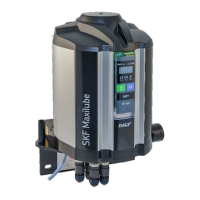
SKF MAXILUBE
(Translation from original Finnish operating and maintenance instructions compliant
with EU Directive 2006/42/EC)

Table of Contents

Other manuals for SKF MAX-1-2-24-X-R-V2

Questions and Answers

  • A
    amberjordanSep 10, 2025
    What to do if the SKF Control Unit pump starts but pressure does not increase?
    • K
      Keith GoodwinSep 10, 2025
      If your SKF Control Unit pump starts but the pressure does not increase, it may be due to insufficient air pressure. Check that the pressure at the pressure air regulator is 3.5–4.5 bar. Also, check the air supply hoses for leaks.
  • S
    Stephanie ShieldsAug 22, 2025
    What does it mean if the SKF Water Pump user interface displays lubricant low level alarm in a lubrication channel?
    • A
      Aaron MartinezAug 22, 2025
      If the user interface of your SKF Water Pump displays a lubricant low level alarm in a lubrication channel, this indicates that the lubricant barrel is empty. Replace the lubricant barrel and then reset the alarm.
  • M
    mendozacarlAug 25, 2025
    What to do if there is considerable grease leakage at the lubrication point of the SKF MAX-1-2-24-X-R-V2?
    • J
      Joshua HurstAug 25, 2025
      If you observe considerable grease leakage at the lubrication point and the bearing temperature rises in your SKF Water Pump, it suggests that the lubrication cycle has been set too short. Check the correct lubrication cycle at the doser setting table of the lubrication system in question.
  • K
    Katelyn EricksonAug 26, 2025
    What to do if the SKF MAX-1-2-24-X-R-V2 Water Pump user interface displays alarm for high pressure in a lubrication channel?
    • E
      Eric ThomasAug 27, 2025
      If the user interface displays an alarm for high pressure in a lubrication channel for the SKF Water Pump, and the pressure at the pressure control unit is above the set pressure low limit value when pressurization starts, the control valve at the hydraulic part may not be operating. Replace control cartridge CHV-100 when necessary.
  • P
    Paul PriceAug 27, 2025
    What to do if the SKF Water Pump does not start?
    • T
      Tiffany PhamAug 27, 2025
      If the SKF Water Pump doesn't start, it could be due to several reasons: the pressure air supply might be closed, the pressure air level might not be high enough, or the supply voltage might be off. To resolve this, turn on the pressure air supply by pressing down the shut-off valve button or set the air pressure to 3,5-4,5 bar using the pressure regulator and the pressure gauge. Also, check that the pressure at the pressure air regulator is 3,5-4,5 bar. Inspect the pressure air supply piping for leaks. Ensure the LED-signal of the pump is lit, the supply voltage is on, and the M12 cable is correctly connected and in good condition.
  • T
    Terry RayAug 29, 2025
    Why does the SKF MAX-1-2-24-X-R-V2 Water Pump start but the pressure does not rise?
    • J
      Julia JonesAug 29, 2025
      If the SKF Water Pump starts but the pressure doesn't rise, the pressure air level might not be high enough. Check that the pressure at the pressure air regulator is 3,5-4,5 bar and inspect the pressure air supply piping for leaks.
  • M
    Morgan PowellSep 18, 2025
    How to fix SKF Control Unit when the display and LEDs are not lit?
    • M
      Monica HernandezSep 18, 2025
      If the user interface display and the LEDs are not lit when the internal control unit of your SKF Maxilube is in use, it indicates there is no supply voltage to the pumping centre. Check the supply voltage.
  • R
    Randall EvansSep 12, 2025
    Why does SKF Control Unit pump start but pressure doesn't increase?
    • K
      Kenneth RileySep 12, 2025
      If your SKF Control Unit pump starts but the pressure does not increase, it could be because the grease filter is clogged, there is air in the suction piping, or there are impurities in the pump’s suction inlet. Clean or replace the grease filter cartridge. Bleed the pump by opening the grease filter bleed screw or the pump’s pressure connection. Check that only grease and no air comes out of the bleed screw or the pressure connection. Contact Oy SKF Ab.
  • R
    Ronald ThompsonSep 8, 2025
    Why doesn't the SKF Control Unit pump start?
    • T
      tshieldsSep 8, 2025
      If the pump of your SKF Control Unit does not start, it could be because the compressed air supply has been cut off or the air pressure is insufficient. Turn on the compressed air supply by pressing down the shut-off valve button. Check that the pressure at the pressure air regulator is 3.5–4.5 bar. Check the air supply hoses for leaks.
  • R
    randy27Sep 5, 2025
    What to do if the SKF Control Unit displays a high pressure alarm?
    • E
      evalentineSep 5, 2025
      If the user interface of your SKF Control Unit displays a high pressure alarm for a lubrication channel, it could be due to the lubricant stiffening in the piping because of the operating conditions, such as cold or heat, or the control valve of the changeover valve unit is not working. You should set the lubrication cycle longer or replace the lubricant with one appropriate for the operating conditions and reset the alarm. Check that the setpoints for high and low limit pressure are correct. If necessary, contact Oy SKF Ab. Check the pressure of the compressed air. Check the operation of the solenoid valves MV1 and MV2.

Summary

Safety Instructions

General Safety Instructions

Guidelines for safe operation and handling of the product.

General Behaviour When Handling the Product

Rules for safe operation, emphasizing caution and proper use.

Commissioning and Daily Start-up

Steps for initial setup and daily operational readiness.

Persons Authorised to Operate the Device

Operation

Stopping the Pump in an Emergency

Procedure for immediate shutdown in emergency situations.

Operation of the Pumping Centre

Describes the automated process of the pumping centre.

Transport, Installation, Maintenance, Malfunctions and Repairs

Covers safe practices for handling, setup, and upkeep.

Commissioning

Steps for initial setup and verification of the system.

Replacing the Lubricant Barrel

Step-by-step guide for changing the lubricant barrel.

Lubricants

IF-105 User Interface

IF-105 Operation

Normal Mode

Details of the standard operating mode of the IF-105.

Functions

Describes the various functions available in normal mode.

Alarms

Overview of system alarms and their indications.

Low Level Alarm

Details the alarm for low lubricant level.

Pressure Alarm, MonoFlex and DuoFlex Lubrication Systems

Details pressure alarms for MonoFlex/DuoFlex systems.

Pulse Alarm, ProFlex Lubrication System

Details pulse alarms specific to ProFlex systems.

Alarm from SKF Doser Monitor - Doser Operation Indicator

Alarm triggered by SKF Doser monitor status.

Alarm from the Air Pressure Switch of the Grease Spray System

Alarm from the air pressure switch of the grease spray system.

IF-105 Settings

Maxilube Troubleshooting

Troubleshooting

Malfunctions

Details specific malfunctions and their causes.

Troubleshooting Table

Provides a table for diagnosing and resolving operational malfunctions.

SKF MAX-1-2-24-X-R-V2 Specifications

General IconGeneral
BrandSKF
ModelMAX-1-2-24-X-R-V2
CategoryWater Pump
LanguageEnglish

Related product manuals