11EN
4.
G a a
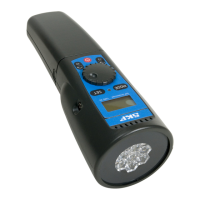
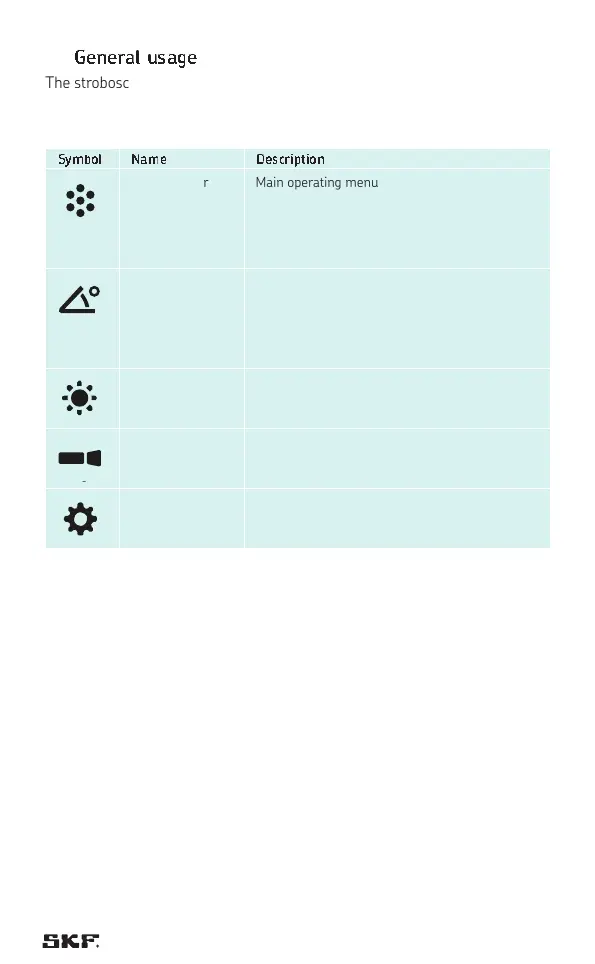
The stroboscope offers five different menus to operate the stroboscope.
By pressing the wheel (button 4) the stroboscope moves from one menu to
the next.
Sy Nm Dm
FPM / Trigger Main operating menu to set the flash rate
(FPM – flash per minute) or use the laser or
trigger to determine the flashing speed.
The trigger menu is activated automatically when
a trigger is connected.
Phase / Delay /
Slowmotion
Menu to change the phase of the flash.
While keeping the same flash rate, adjusting the
phase allows to move the frozen image.
In the “pro” operating mode (TKRS 31 only), the
“delay” and “slowmotion” function can be accessed.
Brightness Menu to adjust the brightness / duration of the
flash.
Torch Menu to use the stroboscope as a torch light.
Setting Menu to change the settings of the stroboscope to
the preferences of the operator.
The stroboscope offers a standard operating menu and a “pro” operating
menu. The top right of the display indicates if the “pro” operating mode is
activated. The “pro” mode is available for TKRS 31 only and can be activated/
deactivated in the setting menu.


 To Next Page
 Loading...