10 EN
3. Getting started
• Unscrew the battery compartment screw.
• Insert all three AA batteries respecting the polarity.
• Close the lead and screw back the screw.
• Start up: Press the red ON/OFF button.
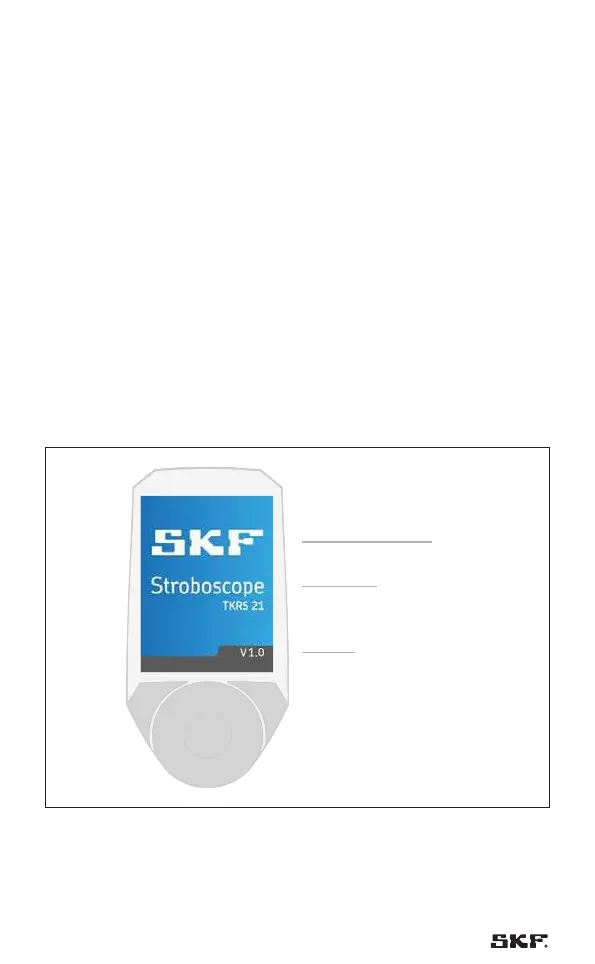
• Anytime when the screen below is displayed, press the rotary wheel to
start the flashing.
• The device will start to flash straightaway. For this reason, do not direct it
at people or animals.
The device will flash at the frequency that was set most recently.
Please follow the steps below when setting up the device:
Direct the device at a moving object and turn the scrolling wheel to adjust the
flashing rate.
The display shows the selected flash frequency in the unit that was set most
recently (Hz or FPM).
• If the flash frequency coincides with the frequency of the motion, a static
image appears.
Serial number and Firmware version 5x
Logo
Product name
& version
Firmware version
Fig. 4 – Startup screen


 To Next Page
 Loading...