19EN
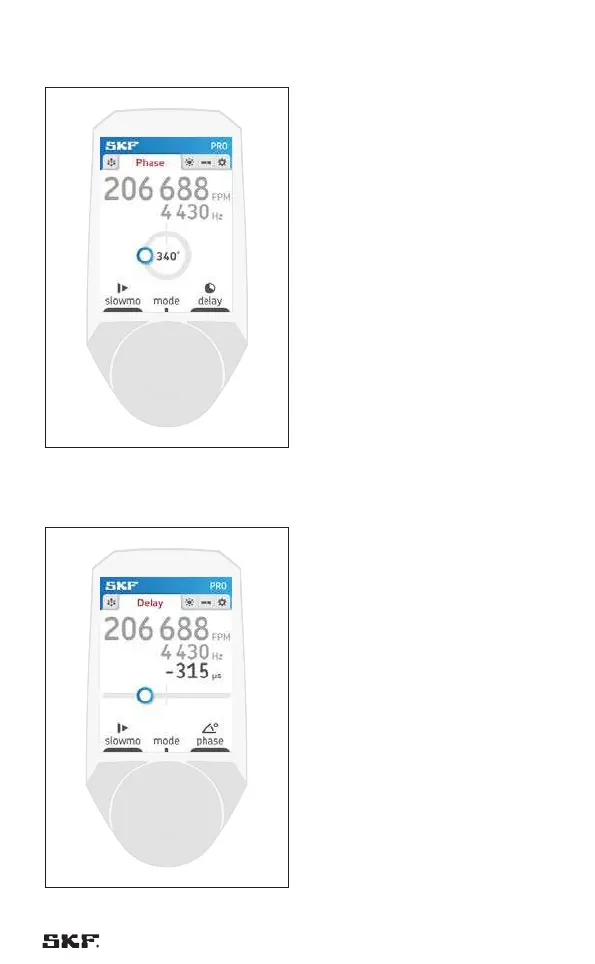
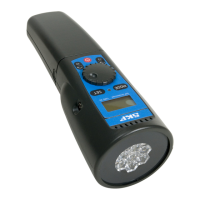
4.4.3 “pro” operating mode (TKRS 31 only)
Fig. 14 – “pro” operating mode
In the “pro” operating mode the
quick phase shift buttons are
replaced by the slow motion function
“slowmo” and the “delay” function
that allows to determine the phase
shift by defining a delay in µs.
4.4.4 Slow motion function
Fig. 15 – Slow motion function
By pressing button 1 “slowmo”
the slow mode function is activated
and the frozen images rotates slowly
to facilitate inspections.
The rate of rotation of the frozen
images can be adjusted by rotating
the wheel.
The slow motion function can be
deactivated by pressing button 1
“phase” or button 2 “delay”.



 To Next Page