7.2" DIGITAL DISPLAY
Icons and Indicators - Multifunction Display ( ACE engines only)
ICONS AND INDICAT ORS
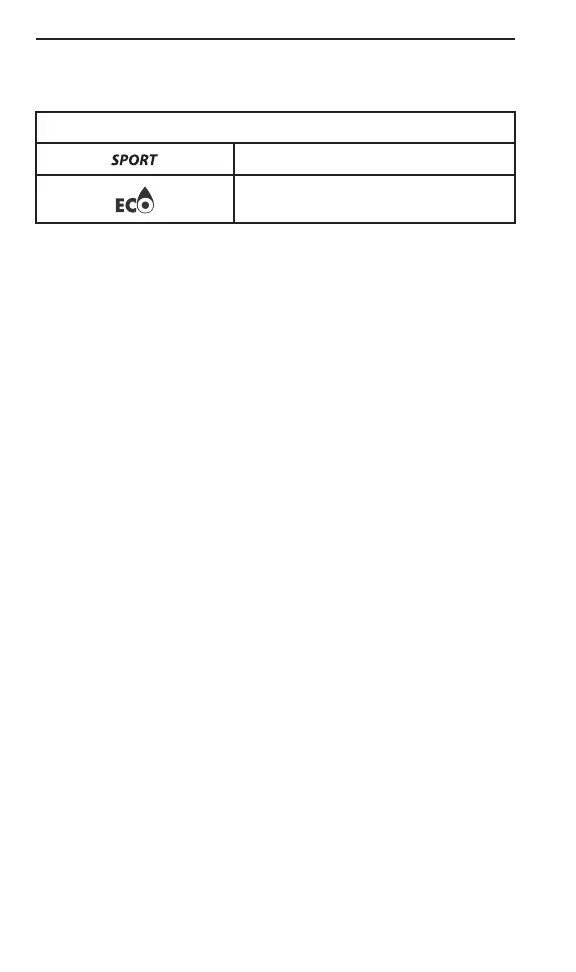
Denotes SPORT mode is selected.
Denotes ECO mode is selected.
Settings
Setup
Using MENU button, select SE TTI NGS and hold to enter setting
menu. Various options are available such as swap ping the SPEED
and RPM in the Central Display.
Unit Selection
This multifunction gauge is factory preset in Imperial units but it is
possible to change it to Metric units.
Using MENU button, select UNITS and hold button to change units.
Setting Clock
Using MENU button, select CLOCK and hold to change units.
1. Press MENU button to select clock display.
2. Push and hold MENU button for 1 second.
3. Press MENU button to select 12:00 AM P M or 24:00 time base .
4. Push and hold MENU button or OK button to acknowledge selec-
tion.
5. Press MENU button to change hours (hours flash).
6. Push and hold MENU button or OK button to acknowledge hour
selection
7. Push MENU button to switch to minutes (minutes flash).
8. Press MENU button to change minutes.
Setting Languag e
The gauge display language can be changed. Refer to an authorized
Ski-Doo dealer for language availability and to setup the g auge to your
preference.
138
_________________



 To Next Page