10
Skydio Enterprise Controller - Operator Manual © 2021 Skydio, Inc. All rights reserved.
Getting Started
How to pair with your drone
Your drone needs to be paired with the Enterprise Controller to fly. To pair your Skydio Enterprise Controller with your
drone, follow the steps below:
NOTE: Skydio Enterprise Controller can only be paired with one drone at a time.
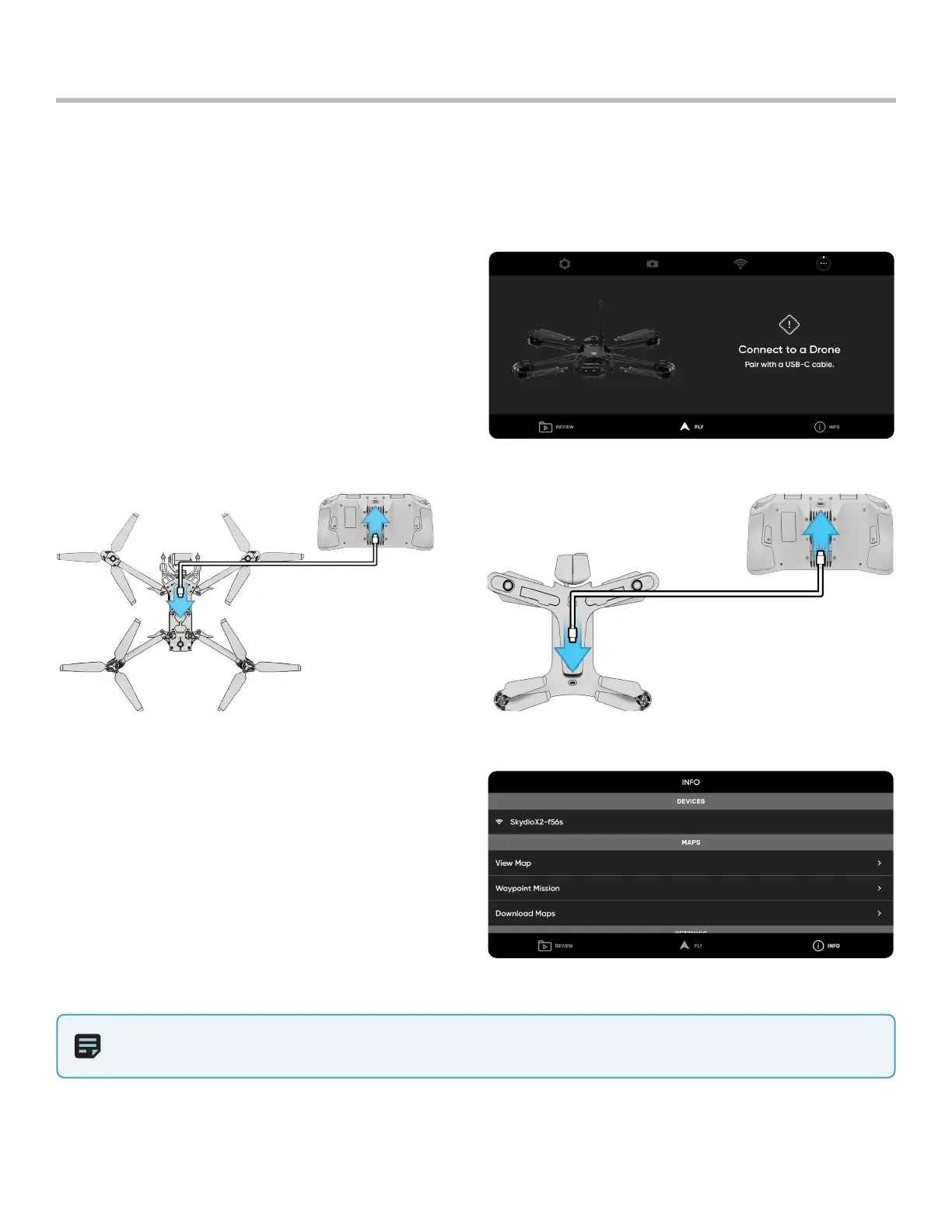
1. Power on both your drone and Controller. You will
see a message alerting you to pair the Controller.
2. Connect the Controller to your drone using the
USB-C cable.
3. Once paired, you will see the name of your drone
under INFO > DEVICES tab and select the name of
your drone under DEVICES.


 To Next Page