14
Skydio Enterprise Controller - Operator Manual © 2021 Skydio, Inc. All rights reserved.
Launching, Returning and Landing
Before you begin your first flight, please read and follow the safety guidelines found at https://skydio.com/safety.
Launch
1. Find a clear area to launch.
2. Place your drone on a flat, stable surface.
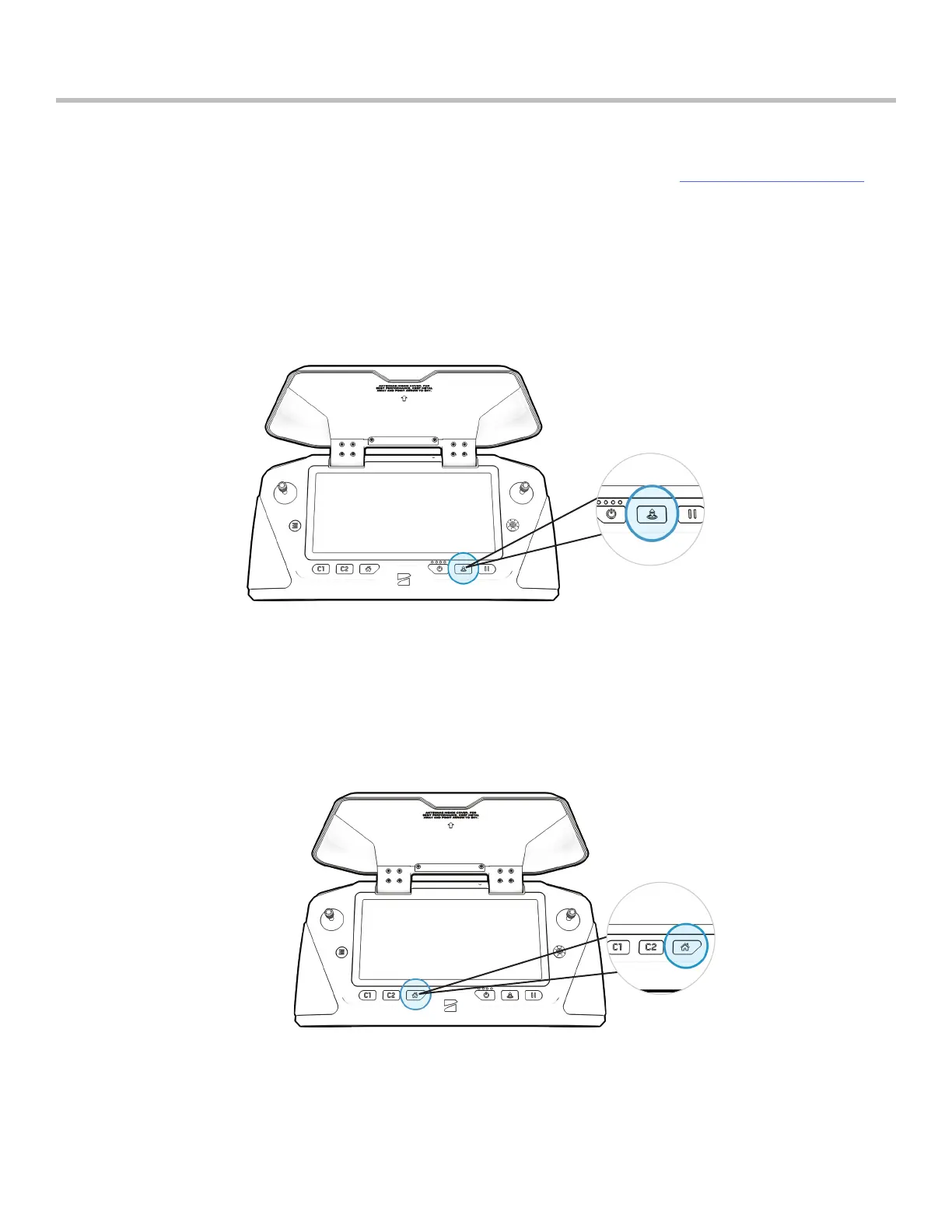
3. Press and hold the Launch/Land button on the Controller.
• You may also launch by pressing and holding the on-screen Launch button
The Return Button on the Enterprise Controller commands your drone to return to its Launch location. If you have set
a Home Point on the map, pressing the Return Button will command Skydio to return to the Home Point instead of
the Launch location.
Return to Home


 To Next Page