12
Skydio Enterprise Controller - Operator Manual © 2021 Skydio, Inc. All rights reserved.
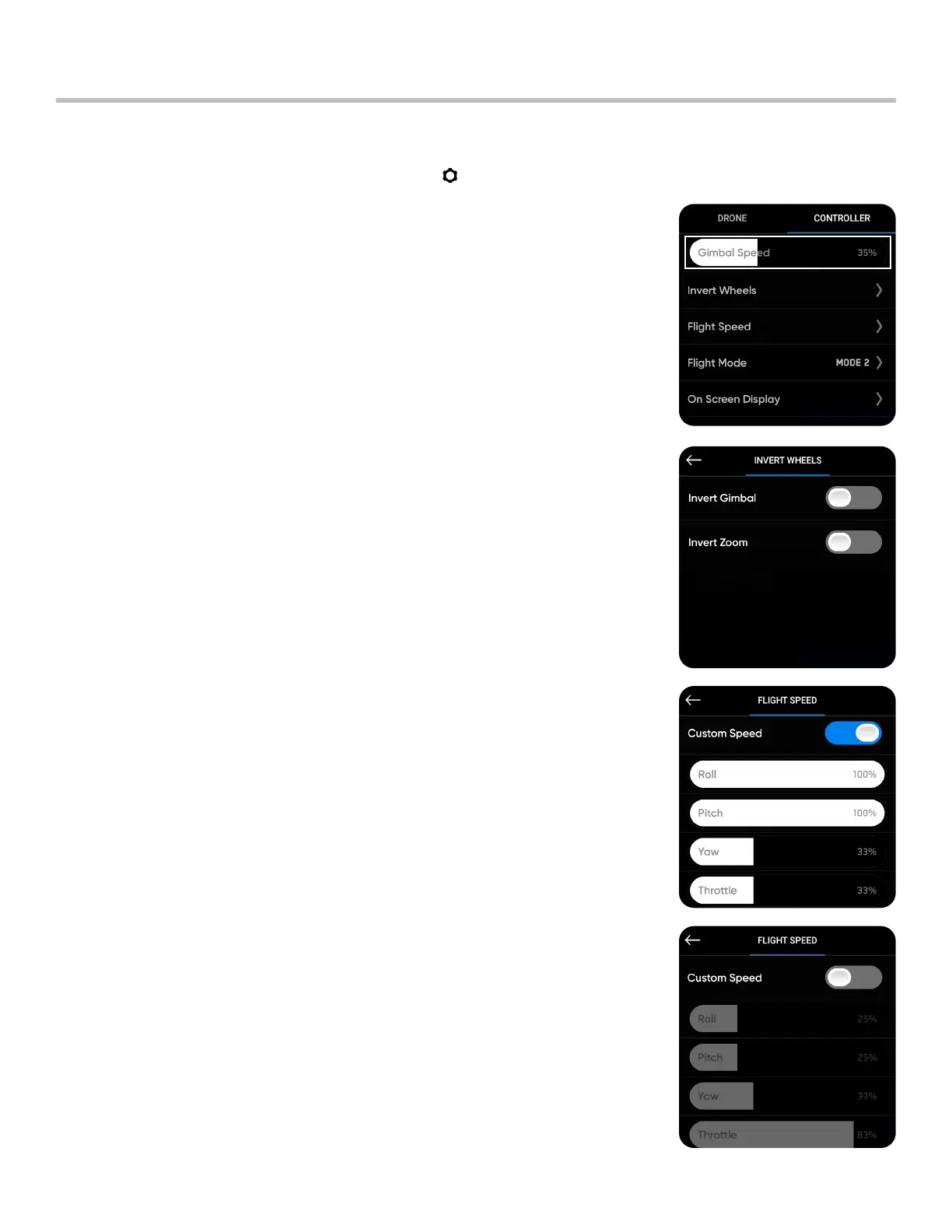
Gimbal Speed: controls how quickly the camera gimbal pitches up
and down
Invert Wheels: inverts the default controls for the Left Wheel (gimbal
pitch) and Right Wheel (zoom) on the controller
Settings Overview
Flight Speed: customize the maximum allowed speed for roll, pitch,
yaw, and throttle.
When toggled o, the Flight Speed options are set to defaults:
• Roll - 25%
• Pitch - 25%
• Yaw - 33%
• Throttle - 83%
Controller Settings
To access Controller settings, select Device Settings ( ) in the top left of your screen. Select the Controller tab.


 To Next Page