16
Skydio Enterprise Controller - Operator Manual © 2021 Skydio, Inc. All rights reserved.
Updating the Enterprise Controller
How to Update
Before flying, ensure that your Skydio Enterprise
Controller is up-to-date. Verify your software version
in the following location:
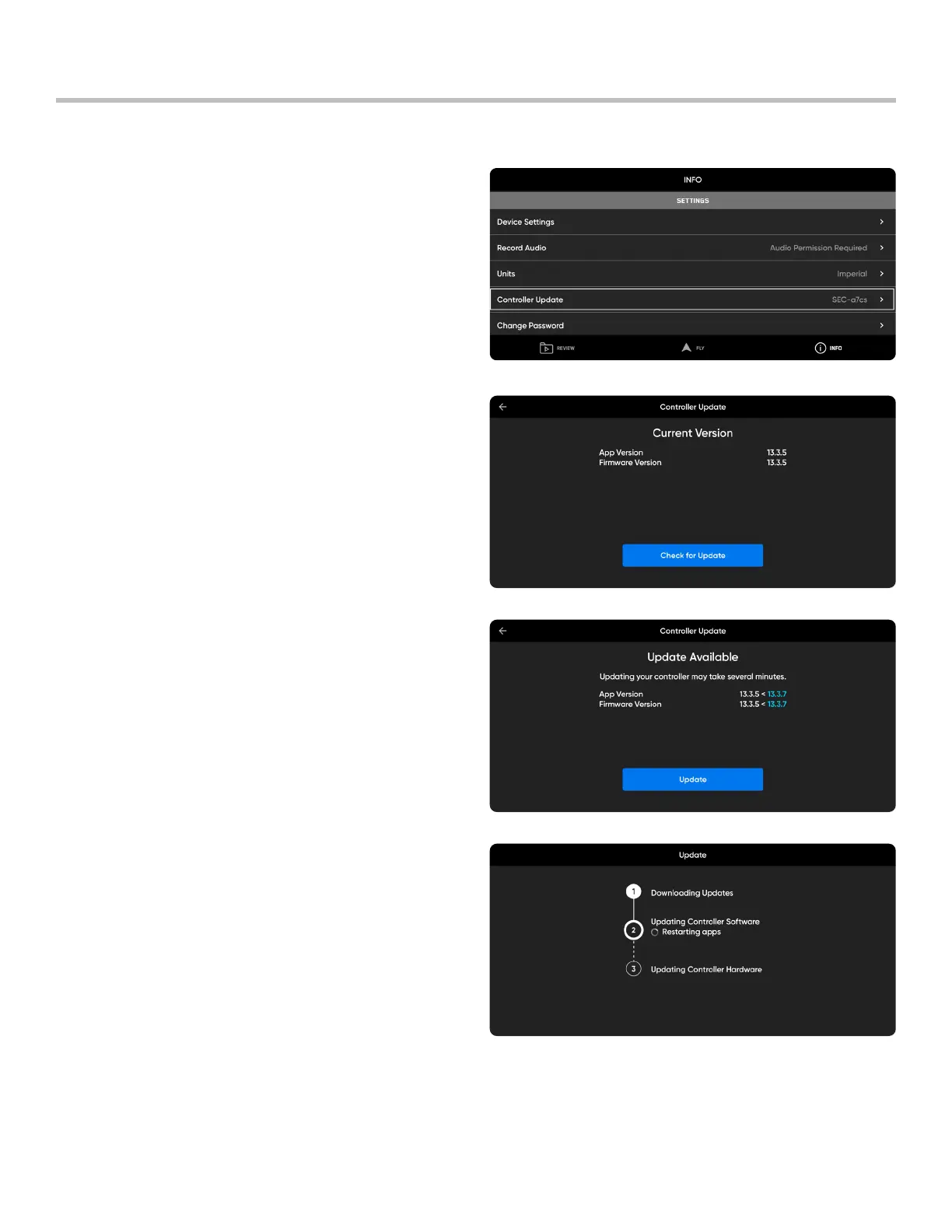
1. Navigate to INFO > Settings.
2. Select Controller Update. You will see a screen
which displays the app and firmware versions of your
device.
3. Tap the blue Check for Update button. The Enterprise
Controller will automatically search for updates and
notify you if one is available.
4. Select UPDATE to start the process.
5. Wait as the Controller completes three steps:
• Downloading updates
• Updating Controller software
• Updating Controller hardware
6. You will see a screen displaying the new app and
firmware versions once the update is complete.
Select Done.



 To Next Page