14
Known Base Antenna Position
When configured as base, NS-HP-GN2 will output its position along with carrier phase raw
measurement data over UART TXD. If base NS-HP-GN2 antenna will be placed at a location with
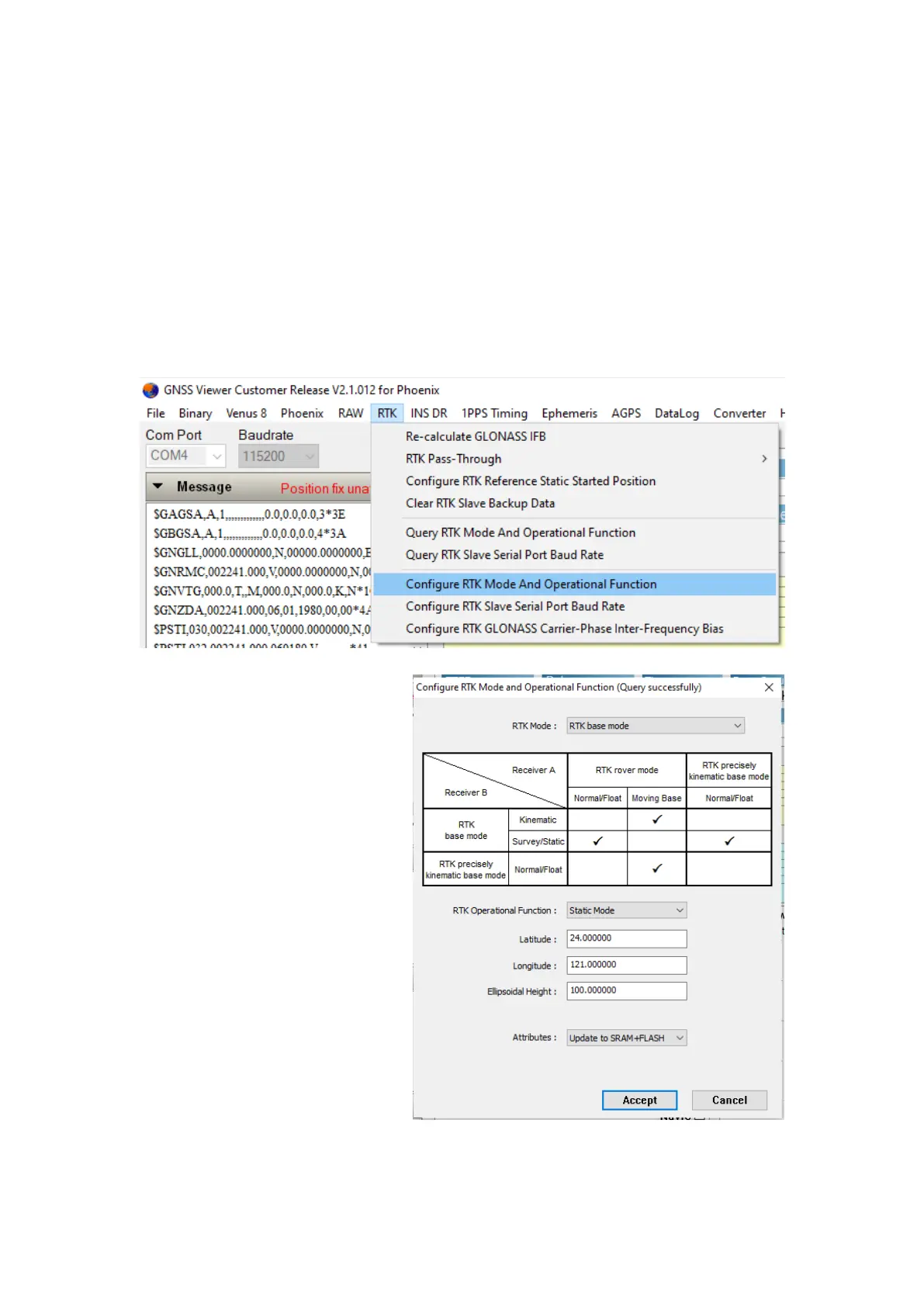
known position, the position information can be set into NS-HP-GN2 using GNSS Viewer.
From RTK pull-down menu, select Configure RTK Mode And Operational Function, select RTK base
mode, select Static Mode and enter antenna latitude/longitude in degrees and ellipsoidal height in
meter, update to SRAM+Flash.


 To Next Page