20
7. USE NS-HP-GN2 AS RTK ROVER
NS-HP-GN2 is configured as rover during production. If NS-HP-GN2 has been previously configured as
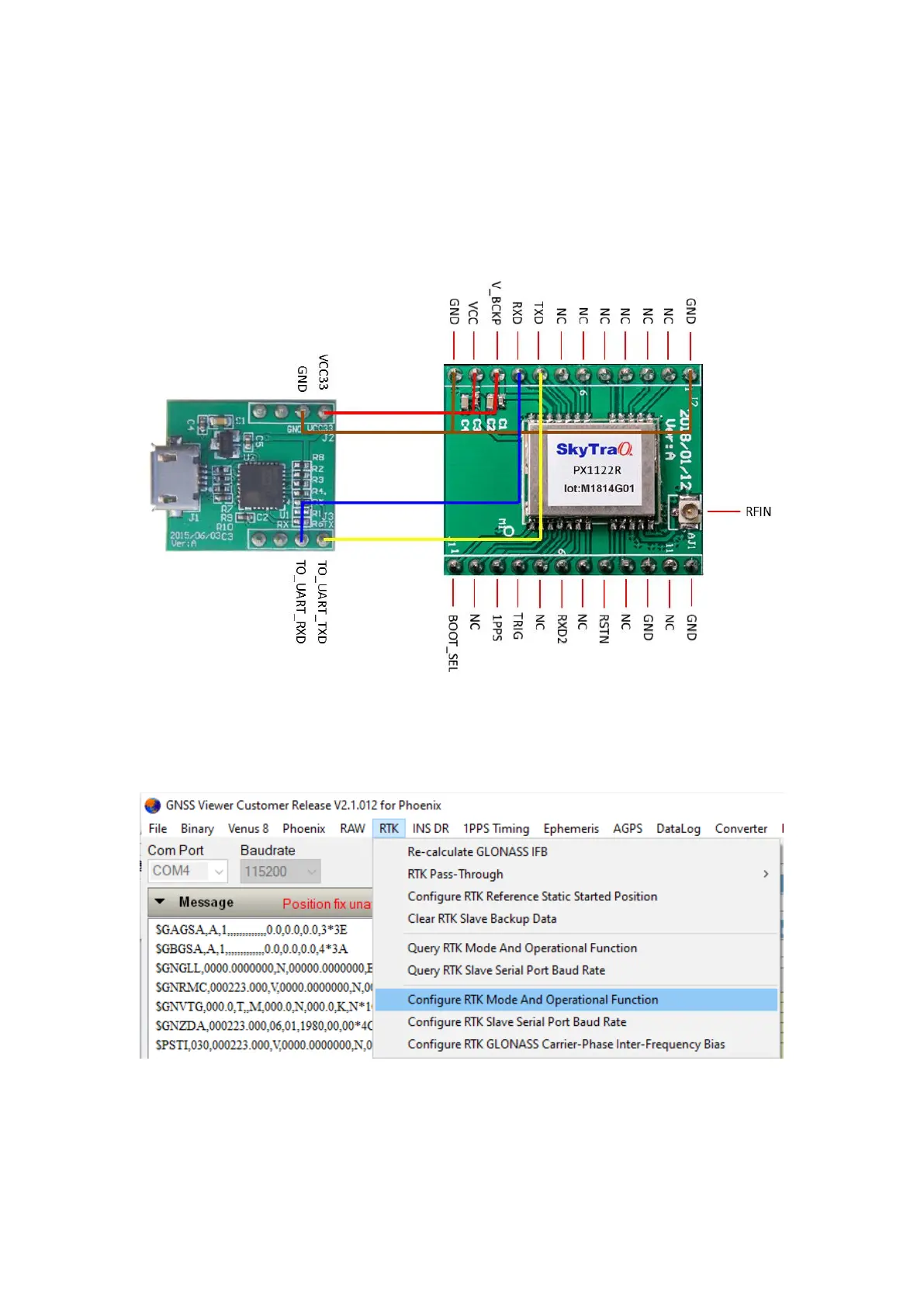
base, to re-configure it as rover, hook up as below; connect to an UART-to-USB bridge breakout board
for connecting to GNSS Viewer running on a Windows PC.
From GNSS Viewer RTK pull down menu, select Configure RTK Mode and Operational Function, select
RTK rover mode, Normal RTK Operational Function and update to SRAM+Flash


 To Next Page