31
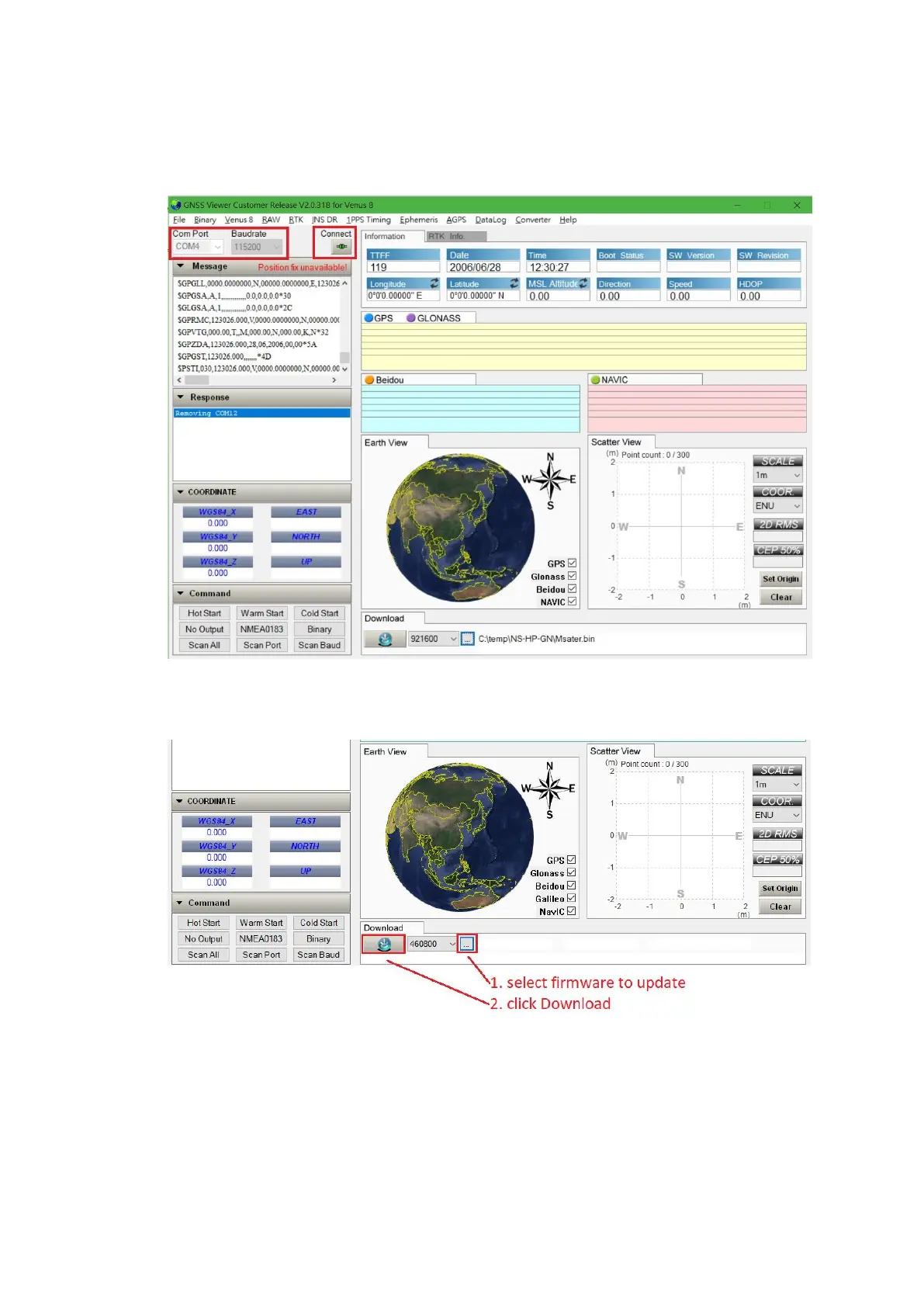
2. Connect GNSS Viewer with NS-HP-GN2 using correct COM port and set Baudrate 115200, then
click the icon under Connect. The icon becomes green if they connect correctly.
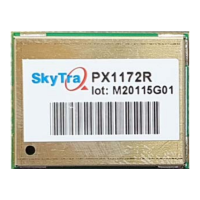
3. Click … to select firmware to update, then click Download button to update firmware
4. Firmware has default set to rover mode. If using NS-HP-GN2 as base, procedure for setting up
base mode and antenna position needs to be done again after firmware update,


 To Next Page