SET THE TIME AND DATE
Always install the latest Skywell App prior to initiating this procedure. Note: do
not install the latest App on any unit with a serial number of 1CSF16XXXXXXX.
Those units should have a version not newer than 2.10.
You will need to set the time and date (once) during the pre-installation process
and possibly if the Skywell is moved to a different time zone. Here are the steps.
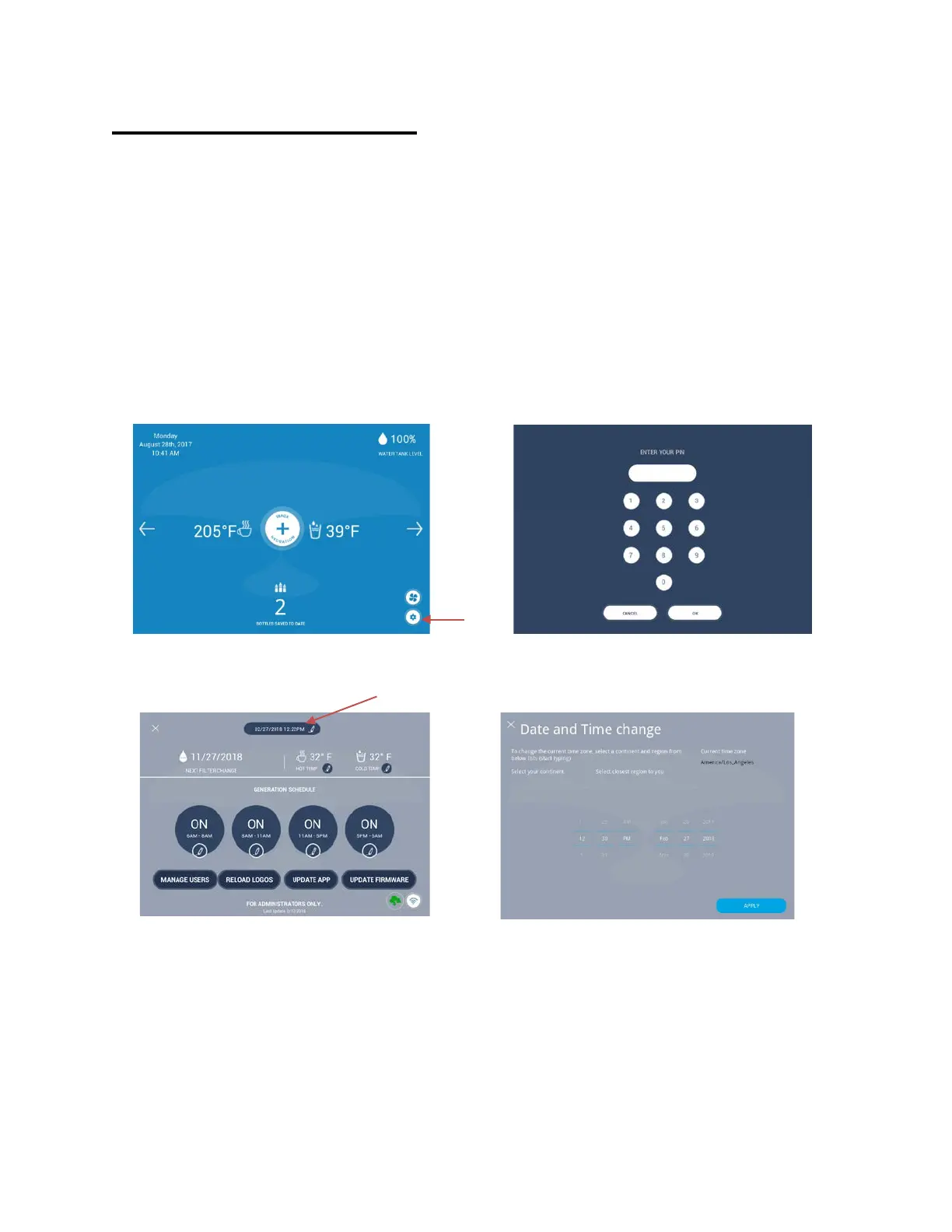
1. Tap the gear button in the bottom right hand corner. The password screen
will appear. Enter 2856.
2. Tap on the date and time bar at the center top. This will open the Date and
Time change screen.


 To Next Page