6.
Note the ftp address i.e., ftp://10.01.29:2121 in the example. Your IP
address will be different.
7.
Tap “X” to exit the screen.
Open an FTP Client on Your Laptop
1.
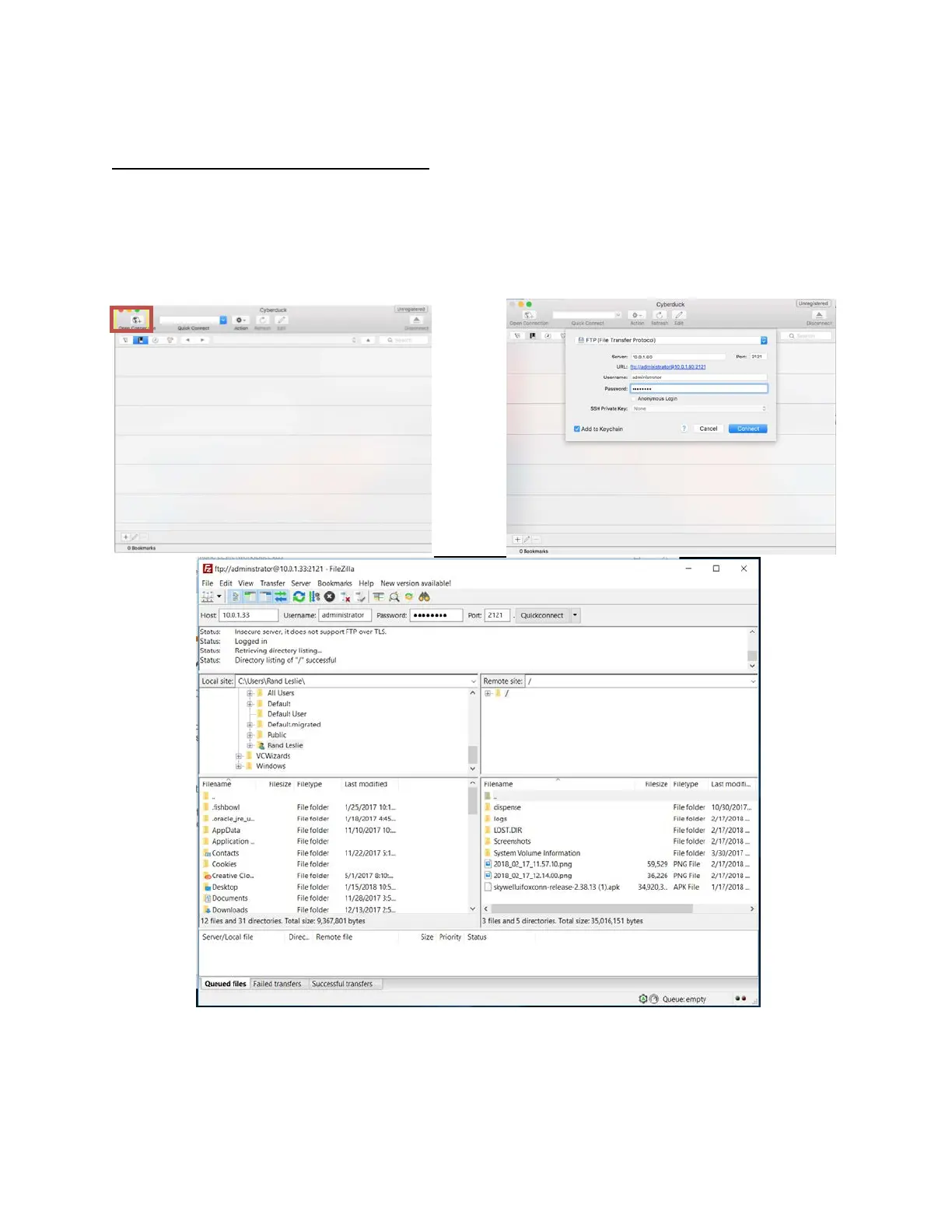
Open an FTP client on your laptop. Skywell recommends CyberDuck for a
Mac or FileZilla for a PC, but any FTP client will do.
2.
User Name: administrator Password: password (all lower case)
3.
Connect to your Skywell by using the values from #6 above.
Note: If the above page does not initially appear, then click on Storage,
SDCard1 and then the page should appear.
4.
You will then be able to drag new files onto the tablet SD card from your
computer after deleting the old files with the corresponding names.


 To Next Page