Cold Dispense: 800 x 600 pxls (exactly) using a non- transparent background.
Hot Dispense: 800 x 600 pxls (exactly) using a non- transparent background.
Note: The higher the resolution of the downloaded original image the better the
results will be.
Drag the new files onto the SD card from your computer after deleting the old
files with the corresponding names.
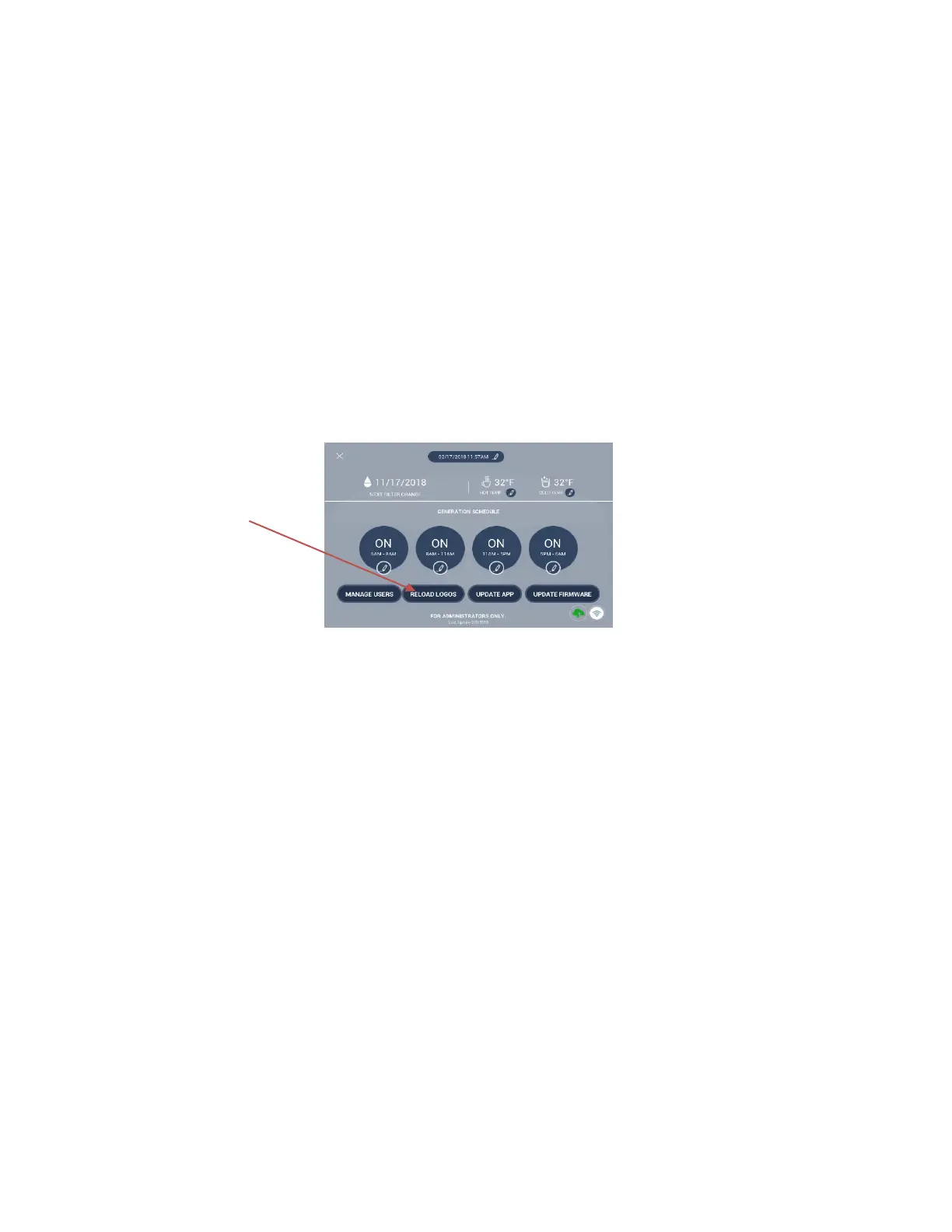
Then update the app with the newly installed logos by completing these steps:
1. Tap the gear in the lower right-hand corner of the dashboard
2. Enter the Administrator password of 1111.
3. On the Generations Schedule page, tap Reload Logos.
4. Tap Yes to allow app to restart.
5. Tap Update App.


 To Next Page