8 / 17
Copyright (c) 2009-2013 RoboPeak Team
Copyright (c) 2013-2017 Shanghai Slamtec Co., Ltd.
ultra_simple <usb tty device>
e.g. ultra_simple /dev/tty.SLAB_USBtoUART.
simple_grabber
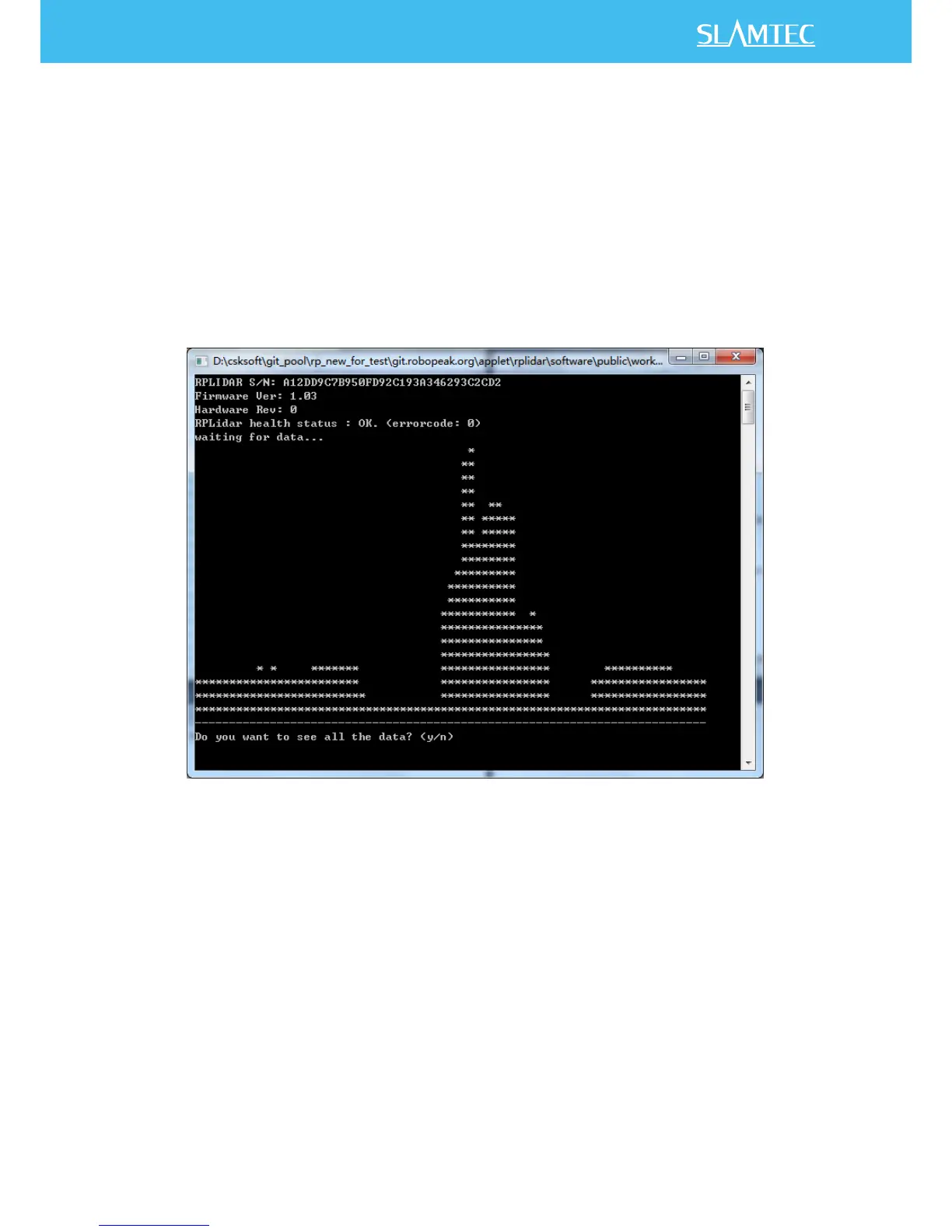
This application demonstrates the process of getting RPLIDAR’s serial number,
firmware version and healthy status after connecting the PC and RPLIDAR. Then
the demo application grabs two round of scan data and shows the range data as
histogram in the command line mode. User can print all scan data if needed.
Figure 2-2 simple_grabber Demo Application Data Output
Steps:
1) Connect RPLIDAR to pc using provided USB cable. (USB to serial chip
embedded in RPLIDAR development kit)
2) Start application use command: simple_grabber <com number>
o Windows
simple_grabber <com_port>


 To Next Page