SONIK 7 Cloud
23 24
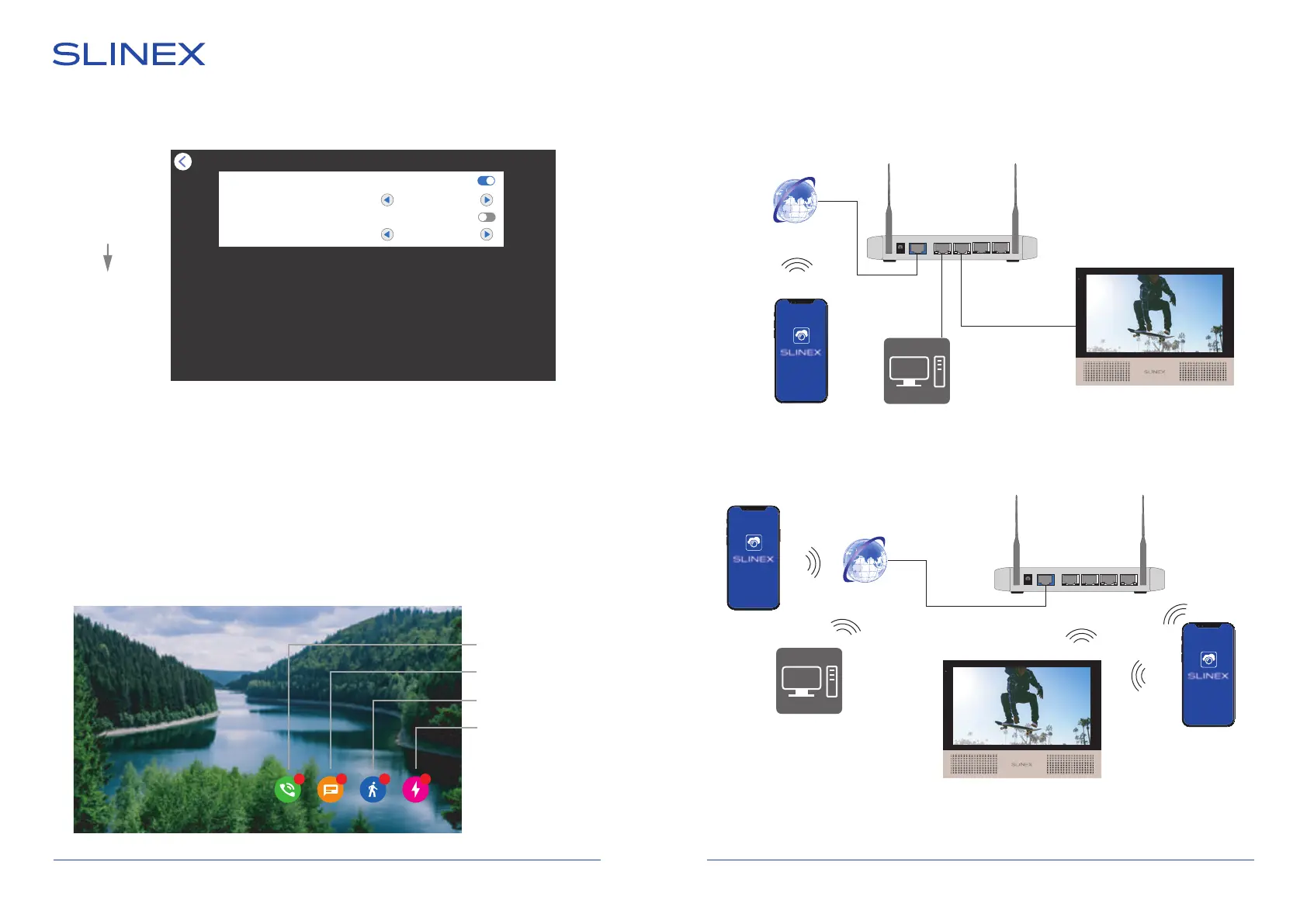
Insert microSD card into the monitor slot and press «Photo frame» icon in the main menu to enter photo
frame settings:
Photo frame
Main menu
Photo frame
Photo frame
Switching ime 3 Sec
Background music
Background volume 5
Main menu → Photo frame
Photo frame − enable/disable photo frame function in standby mode;
Switching time − photo switching interval, from 3 to 30 sec.;
Background music − enable/disable background music playback in photo frame mode;
Background volume − set background music volume in photo frame mode.
11. Standby clock
If «Standby clock» function is enabled in «Settings» → «System» menu then user can see the folowing
screen after exiting from the main menu or conversation ending:
11 : 28
26-10-2021 Вторник
0 22 1
Call records
Message records
Motion records
Alarm records
WAN 1 2 3 4
WAN 1 2 3 4
Android / iOS
Sonik 7 Cloud
Sonik 7 Cloud
Android / iOS
Smart call
Smart call
Smart call
Internet
3G / Wi-Fi
Router
PC
PC
12. Network connection diagrams
Diagram 1. Sonik 7 Cloud wired network connection.
Diagram 2.
Sonik 7 Cloud wireless Wi-Fi network connection.
Android / iOS
Internet
3G / Wi-Fi
Wi-Fi (LAN)
«AP or EZ mode»
Router



 To Next Page