13 14
SONIK 7 Cloud
7. Records playback
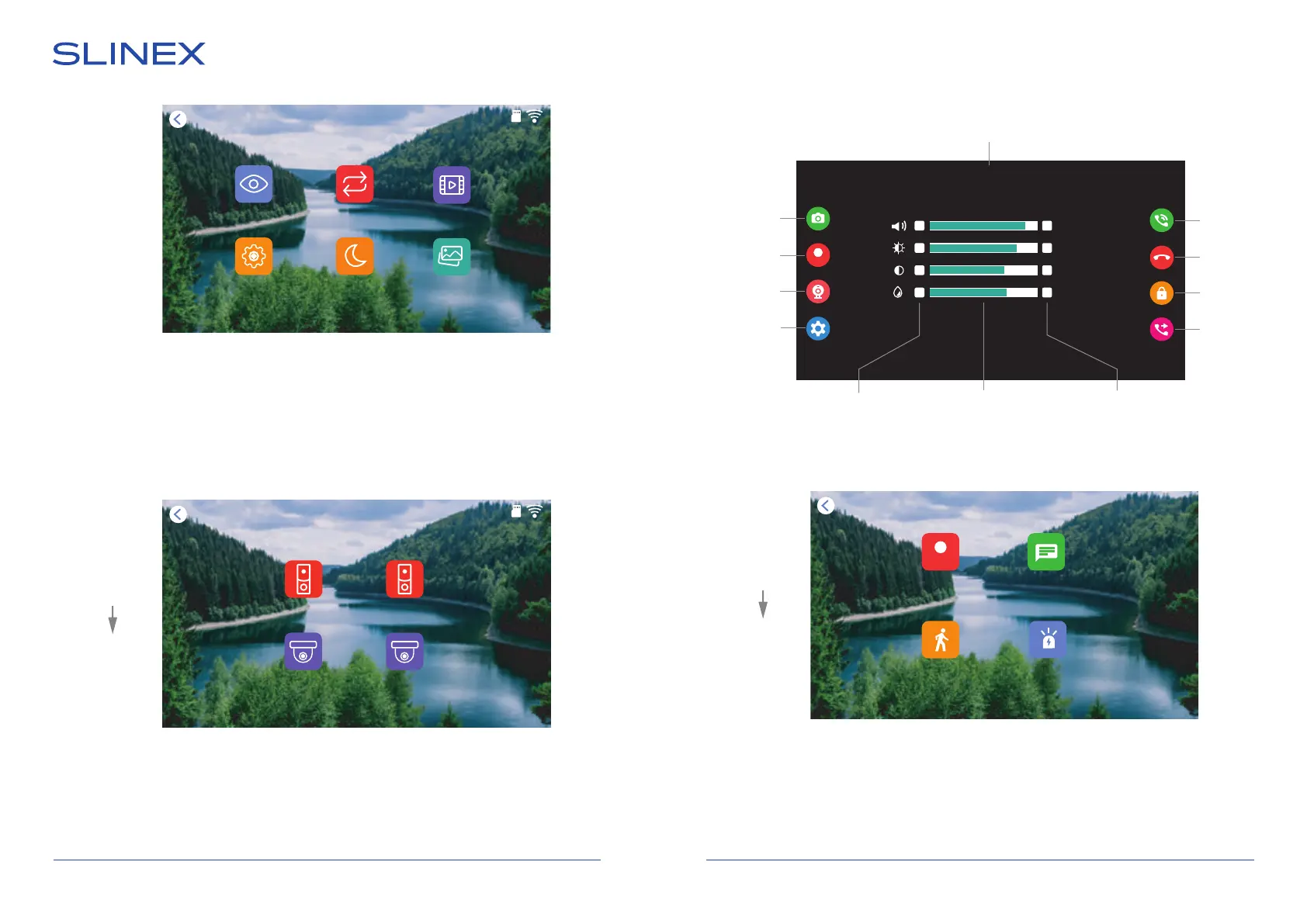
Press «Records» icon in the main menu to enter records playback menu:
Following folders are available in the «Records» menu:
Call records − incoming call video records viewing;
Message records − voice records from outdoor panel if nobody is at home;
Motion records − software motion detection video records;
Alarm records − hardware motion detection video records using external sensors .
Door 1
Current video channel
Answer
Hang up
Unlock
Image and volume
settings bar
Decrease current
parameter value
Increase current
parameter value
Call
redirection
Enable/
disable image
and volume
settings bar
Start/stop
video recording
Video input
switch
Image monitoring screen has following elements:
Records
Records
Settings
Intercom
Photo frame
Monitoring
At home
06-10-2021 12 : 01
Motion records
Message records
Call records
Alarm records
Camera1
Door2
Door1
Camera2
06-10-2021 12 : 01
REC
− +
− +
− +
− +
08
35
27
29
Main menu
Monitoring
REC
Main menu
Outdoor panels and cameras monitoring is available directly from the main menu of the monitor by
touching corresponding icons:
Door1 − door 1 image monitoring;
Door1 − door 2 image monitoring;
Camera1 − camera 1 image monitoring;
Camera1 − camera 2 image monitoring.
Main menu
Take a
snapshot


 To Next Page