40 iGlucose®
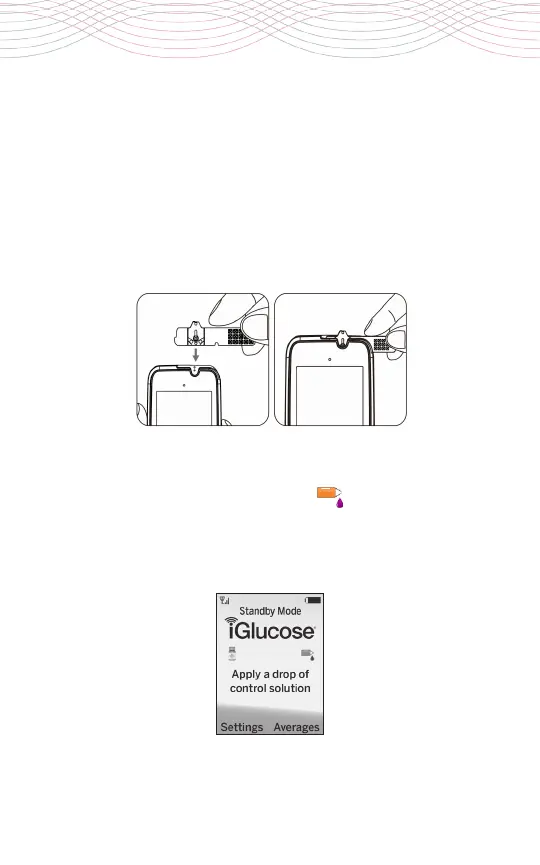
2. Insert the iGlucose® Test Strip into the test strip port straight
downwards with the strip view window facing you until it clicks
and firmly stops. If not on yet, your meter will automatically turn
on once the strip is inserted and the message “Strip Inserted” will
be displayed.
3.
The meter goes through an internal check that takes 3 seconds.
Wait until a Control Solution drop icon and “Apply a drop of
control solution” message appears on the display window. Once
the message appears, apply the control solution sample within
120 seconds.



 To Next Page