iGlucose® 41
Note: When a test mode is set for a Control Solution, the result will
not be calculated into averages.
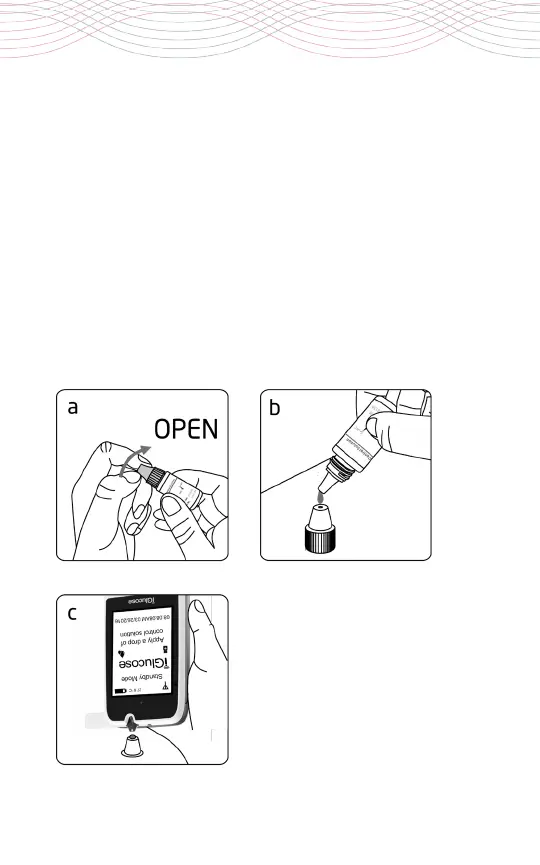
a. Shake the bottle of Rightest® Control Solution GC550 well before
opening the cap. Remove the bottle cap and place it on a flat surface.
b. Place a drop of control solution onto the top of the cap. See
drawing below.
c. Gently touch the sample port of the strip to the control solution
on top of the cap. See drawing below.



 To Next Page