iGlucose® 49
Note: Clean and disinfect the outside of the device only. Do not
remove battery cover when cleaning and disinfecting.
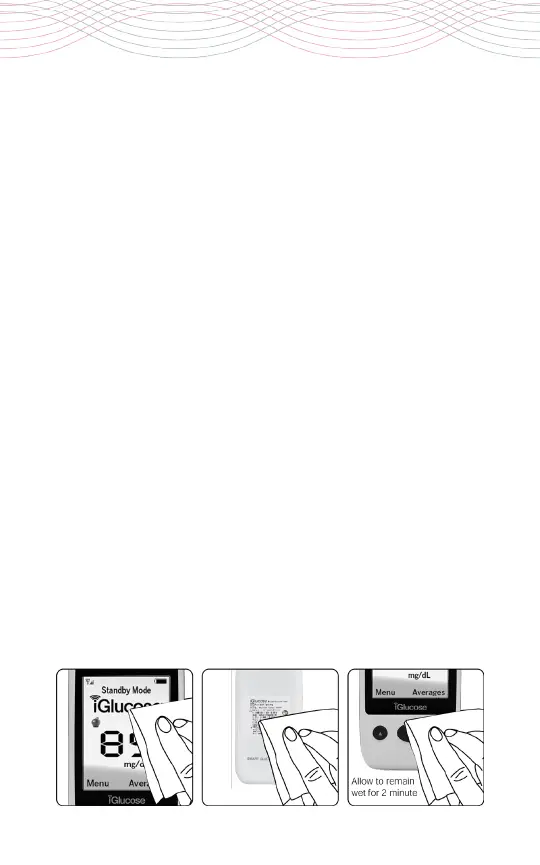
To clean the iGlucose Blood Glucose Meter:
Thoroughly wipe the entire surface of the meter, especially the
strip port, face/display, housing and buttons with the disinfecting
wipes listed above to clean any possible dirt, dust, blood and other
body fluids.
To disinfect the iGlucose Blood Glucose Meter:
1.
Take another disinfecting wipe and wipe the meter thoroughly.
(Note: All blood and body fluids should be cleaned from surface
before performing the disinfecting procedure).
2. Allow the surface to remain wet for 2 minutes.
3. Allow to air dry.
Please see the following references for further information:
-FDA Public Health Notification: Use of Finger stick Devices on More
than One Person Poses Risk for Transmitting Bloodborne Pathogens:
Initial Communication” (2010). http://www.fda.gov/MedicalDevices/
Safety/AlertsandNotices/ucm224025.htm
- CDC Clinical Reminder: Use of Finger stick Devices on More than One
Person Poses Risk for Transmitting Bloodborne Pathogens” (2010).
http://www.cdc.gov/injectionsafety/Fingerstick-DevicesBGM.html



 To Next Page