-3-
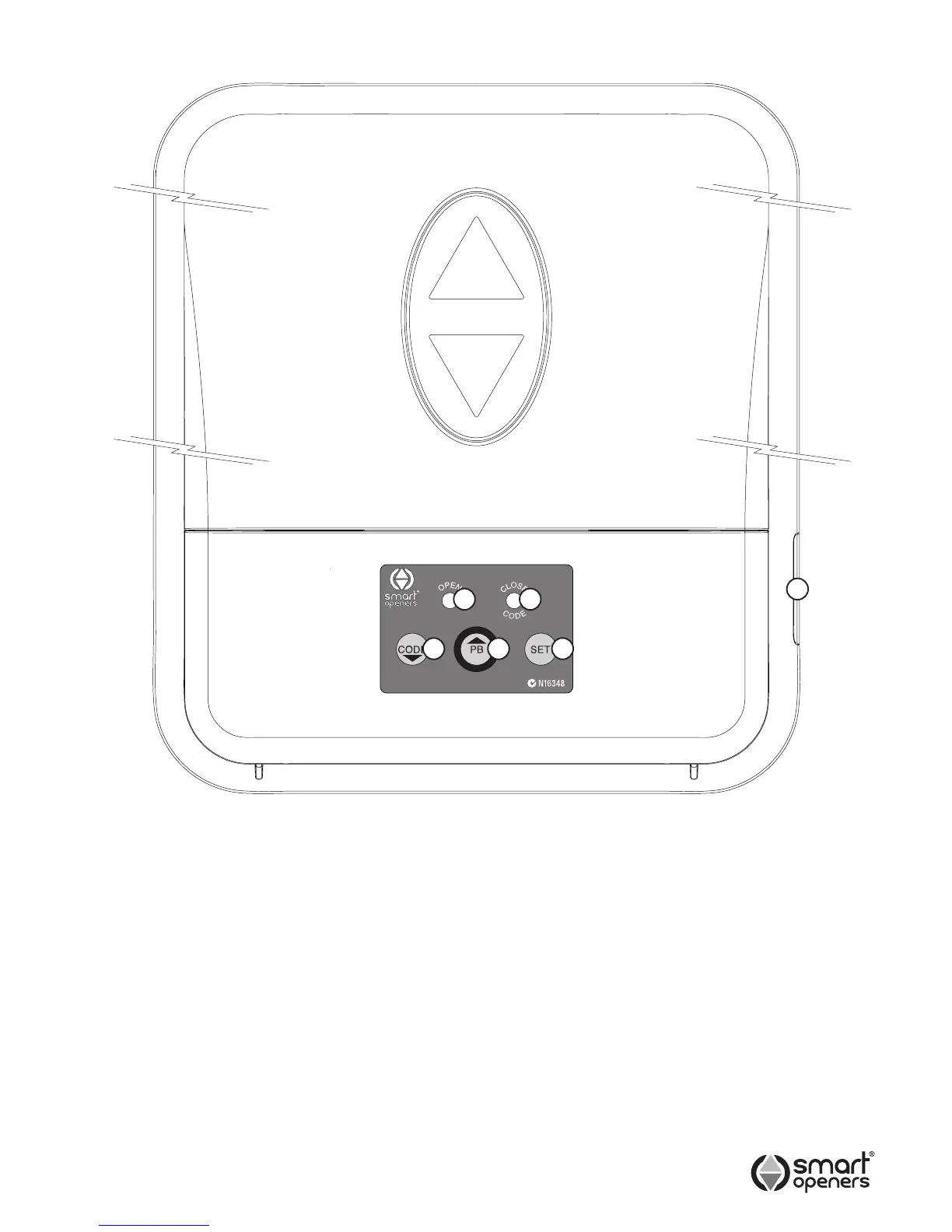
Operating Controls
1 CODE Button - used to store transmitter code.
2 PB (Push Button) - used to open/stop/close the door.
3 SET Button - used to set limits and save settings.
4 Yellow LED - Flashes during open cycle and indicates
photo beam mode during set up.
5 Red LED - Flashes during close cycle and indicates
force margin sensitivity during set up.
6 Input Terminal Block - used for connecting photo
electric safety beam or
external push button trigger.
1 2
4
3
5
6
© September 2011 Smart Openers Pty Ltd
+24V
PB
PE
+24V
GND


 To Next Page