T4 (053B) Series Installation Guide
CD354/220116 Smartscan Ltd
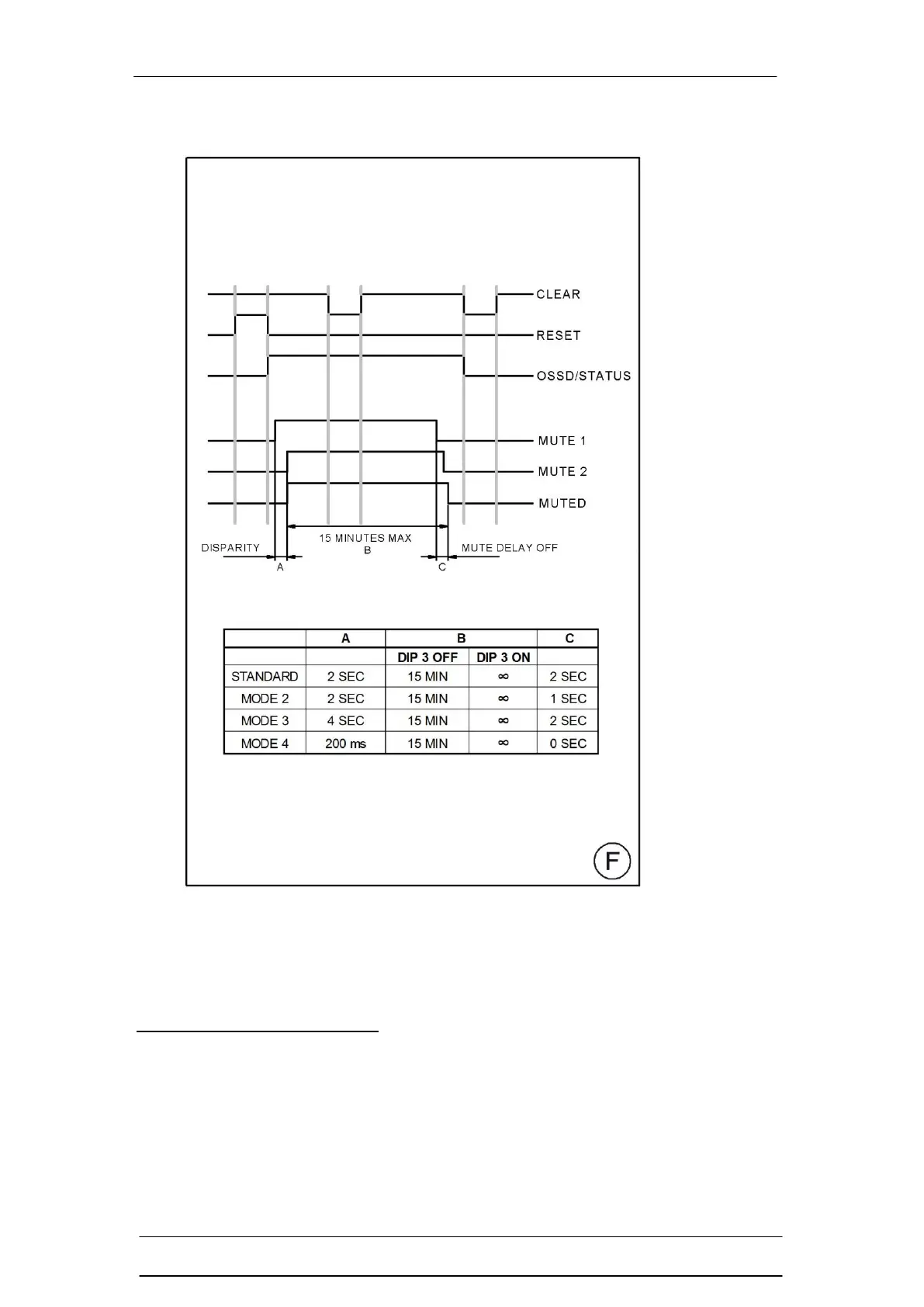
Figure F – Muting Timers
The table above shows the muting timer options for the T4 (053B) series.
The 3 timing elements of the muting function are explained below.
Mute Input Disparity Time (A)
All guards are supplied with the default mute disparity setting of 2 seconds. Both
mute inputs (mute 1 and mute 2) signals must be supplied to the safety light
curtain within 2 seconds of each other for the safety light curtain to go into a
muted condition. If the disparity is greater than 2 seconds then the LO2 LED on
the Receiver (RX) head will turn on. To remove the fault both mute inputs have to
be removed and LO2 LED on the Receiver (RX) head will then turn off.


 To Next Page