T4 (053B) Series Installation Guide
CD354/220116 Smartscan Ltd
Learn Setting 3 - Mute Timer (Mode 3)
Mode 3 gives the following mute timers:
Mute input disparity 4 seconds
Mute delay off 2 second
Learn Setting 4 - Mute Timer (Mode 4)
Mode 4 gives the following mute timers:
Mute input disparity 200 milliseconds (ms)
Mute delay off 0 seconds
Use the following steps to configure Mute Timer (Mode 3):
1. Disconnect power to the light curtain.
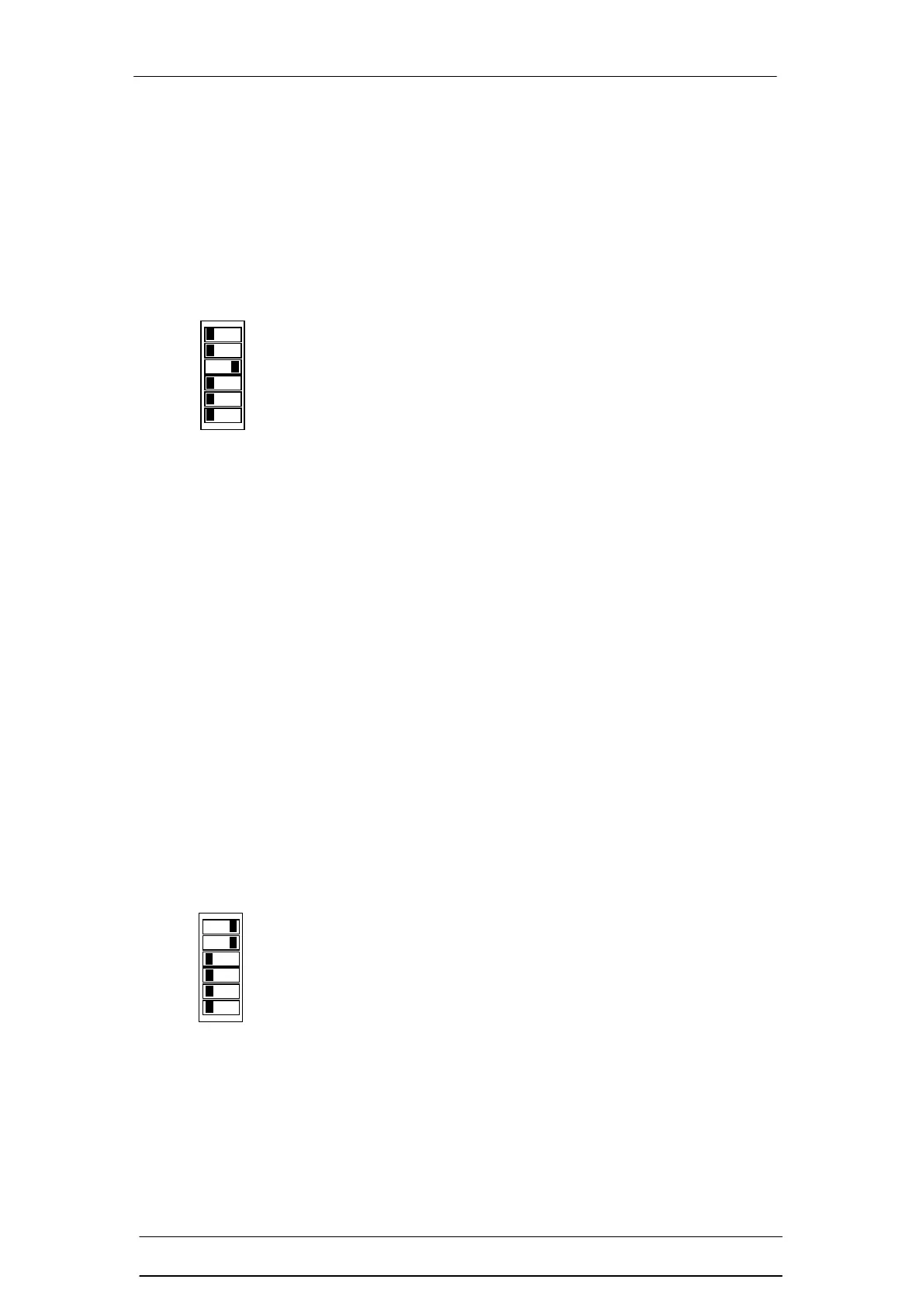
2. Configure the DIP switches as per the diagram to the left
(Learn mode / Mode 3).
3. Reinstate power to the light curtain. All LEDs on the RX
head are on to indicate that mode 3 has been learnt.
4. Disconnect power to the light curtain.
5. Set DIP switches as per the Direct Setting requirements.
6. Reinstate power to the light curtain. All LEDs revert back
to their normal functions and Mute Timer (Mode 3) is now
activated.
You may want to select another Learn mode function in
which case you will need to follow the procedure for that
function.
Use the following steps to configure Mute Timer (Mode 4):
1. Disconnect power to the light curtain.
2. Configure the DIP switches as per the diagram to the left
(Learn mode / Mode 4).
3. Reinstate power to the light curtain. All LEDs on the RX
head are on to indicate that mode 4 has been learnt.
4. Disconnect power to the light curtain.
5. Set DIP switches as per the Direct Setting requirements.
6. Reinstate power to the light curtain. All LEDs revert back
to their normal functions and Mute Timer (Mode 4) is now
activated.
You may want to select another Learn mode function in
which case you will need to follow the procedure for that
function.



 To Next Page