T4 (053B) Series Installation Guide
CD354/220116 Smartscan Ltd
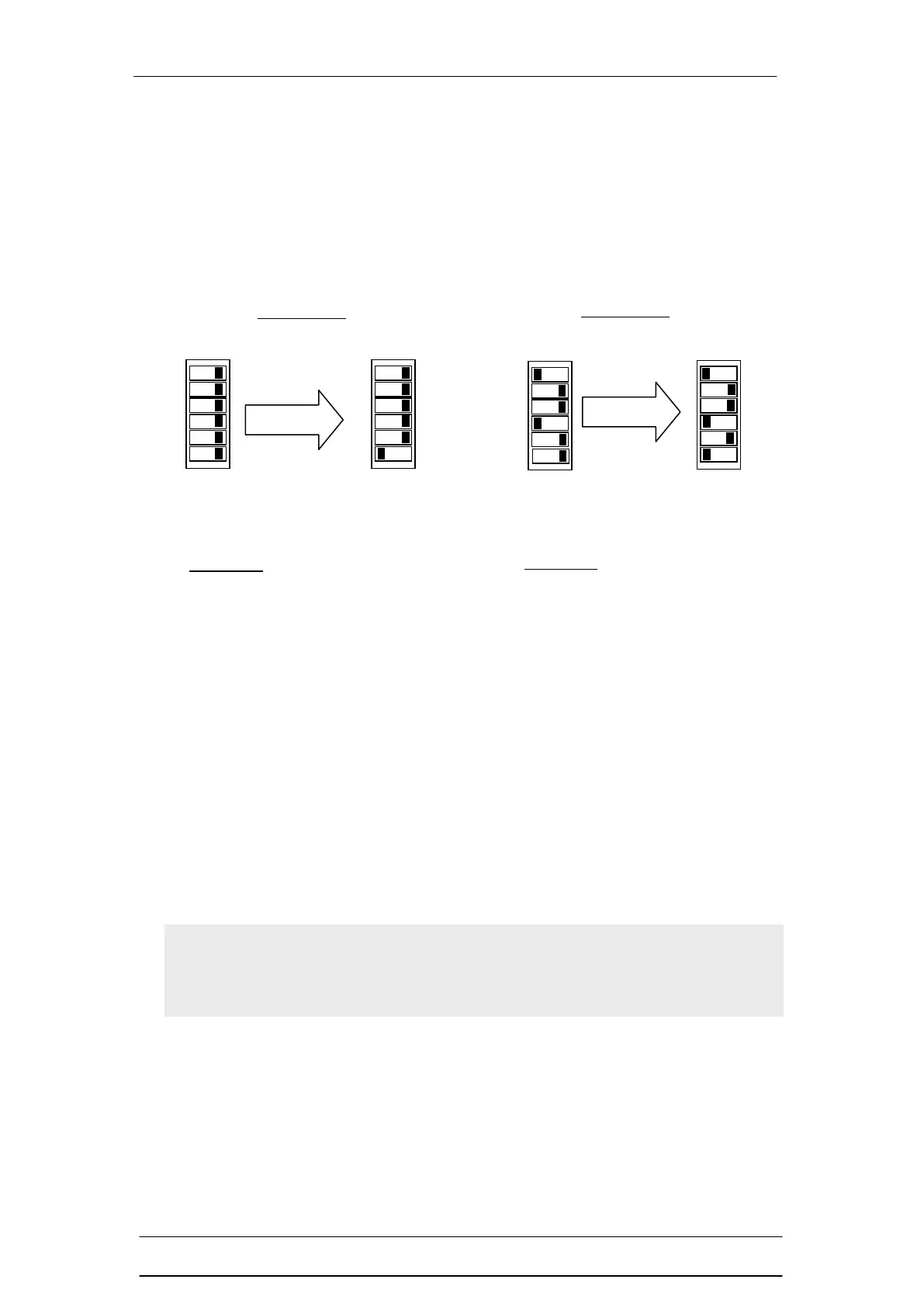
4) Parity (ODD)
The parity switch (Position 6) is used as a functionality check for the DIP switches,
making sure no DIP switch has failed. The light curtain counts how many of the 6
switches are in the ON position. This sum or number of DIP switches in the up or
ON position must be an odd number. If the number is not odd then the safety light
curtain’s OSSDs will remain OFF. Listed below are 2 examples of setting the
parity to ODD.
If the number of switches at positions 1 to 5, in the on position, equals an even
number then the parity switch, position 6, must be set to the ON position. If the
number of switches in the on position equals an odd number then parity switch,
position 6, must be in the off position. Having set the switches in this way, if any
switch subsequently fails, either on or off, the parity will go to an even number and
the fault will be detected.
Note If the parity check is set incorrectly, changed or any of the DIP
switches are changed while the light curtain is in operation the OSSDs
(safety outputs) will turn OFF and remain OFF.
Example 2
Two DIP switches are in the ON
position (D). Two is not an ODD
number. The OSSDs will
remain OFF until the parity
switch is moved to the ON
position (E).
Example 1
Zero DIP switches are in the ON
position (A). Zero is not an ODD
number. The OSSDs will
remain OFF until the parity
switch is moved to the ON
position (B).


 To Next Page