T4 (053B) Series Installation Guide
CD354/220116 Smartscan Ltd
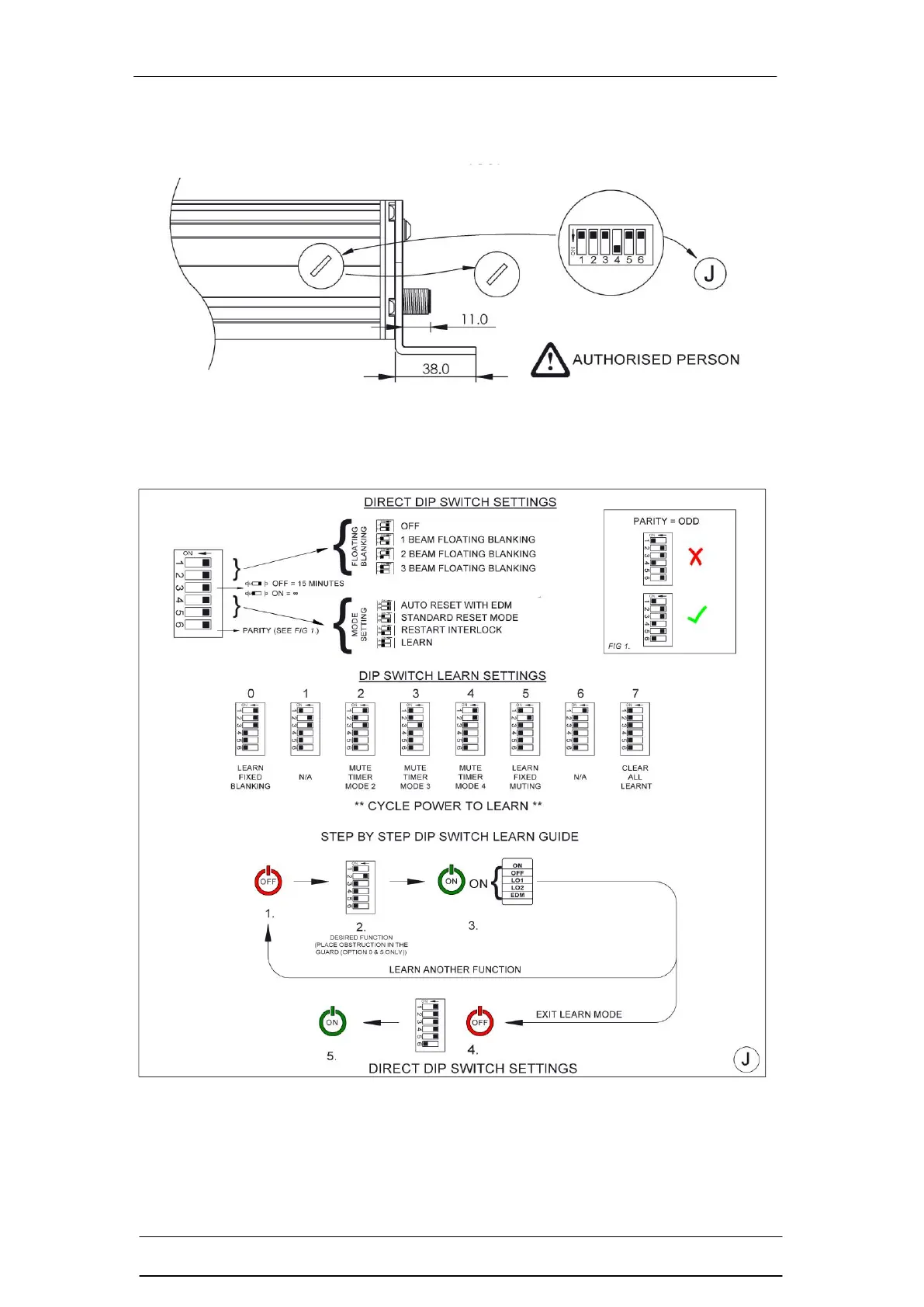
Figure J – DIP Switch Settings and Operating Modes
The DIP switches are located under the cap at the bottom of the Receiver (RX)
column. The ON position is to the left when mounted vertically as you look into it.
(Ensure that the cap is securely in place to maintain IP integrity after use).
There are two modes of DIP switch setting for the T4 series:
Direct Settings
Learn Settings


 To Next Page