T4 (053B) Series Installation Guide
CD354/220116 Smartscan Ltd
Use the following steps to configure Fixed Beam Blanking:
1. Disconnect power to the light curtain.
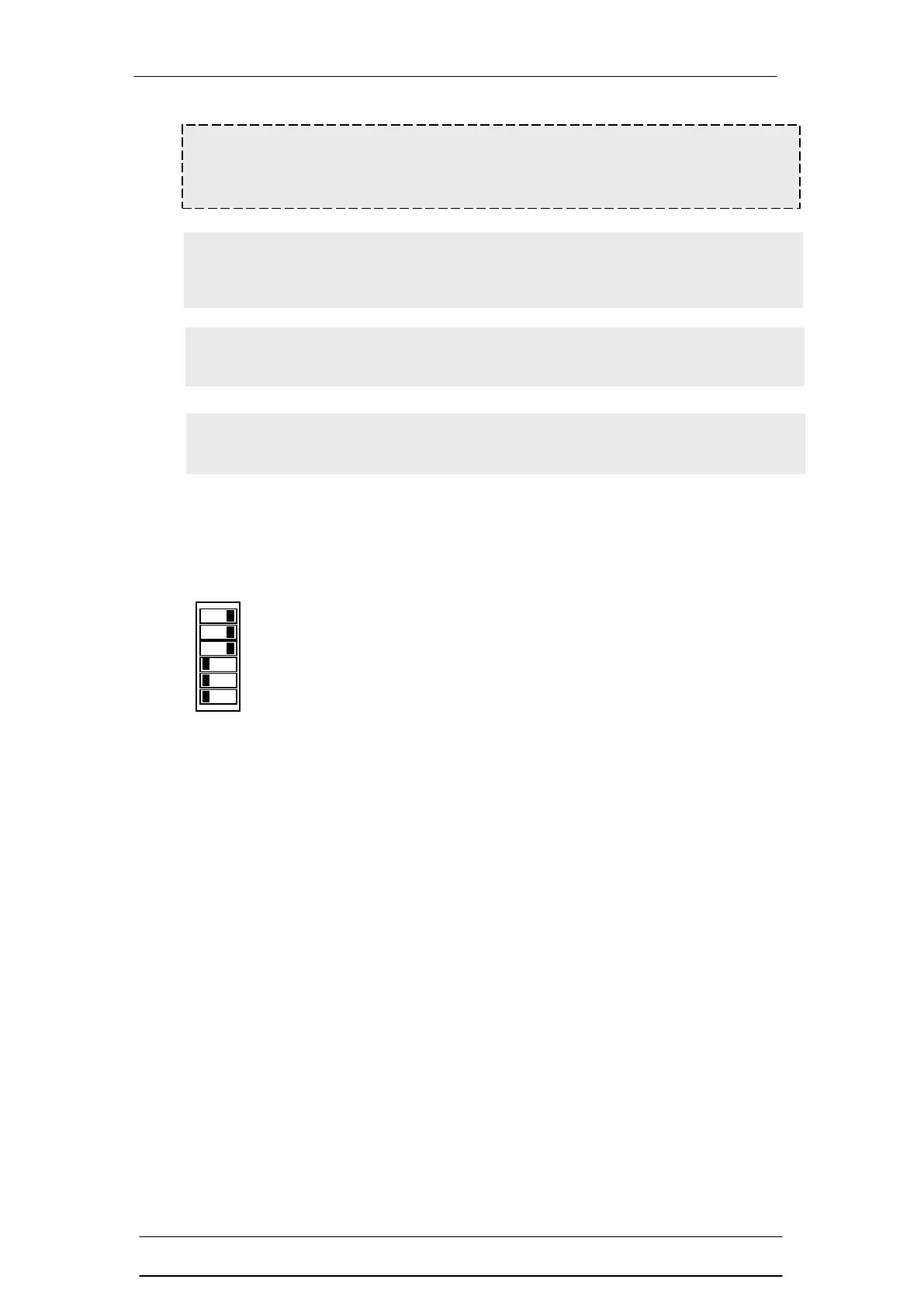
2. Configure the DIP switches as per the diagram to the left
(Learn mode / Fixed beam blanking).
3. Place the obstruction in the light curtain or the obstruction
is already in place.
4. Reinstate power to the light curtain. All LEDs on the RX
head are on to indicate that the number of beams to be
blanked has been learnt.
5. Disconnect power to the light curtain.
6. Set DIP switches as per the Direct Setting requirements.
7. Reinstate power to the light curtain. All LEDs revert back
to their normal functions and the blocked beams are
ignored.
You may want to select another Learn mode function in
which case you will need to follow the procedure for that
function.
Warning If the fixed object located in the sensing region does not
completely cover the light curtains sensing region additional guarding will
be required.
Note Once the fixed blanking area has been set any removal of the
object in that region will cause the safety light curtain’s OSSDs to go into
an OFF state and stay OFF.
Note Three beams must remain un-blanked in the sensing field of the
safety light curtain, if not the OSSDs remain in the OFF state.
Note If using the fixed beam blanking and the partial / fixed muting
functions then the fixed beam blanking function must be selected first.


 To Next Page