Use
148
3.10 Settings
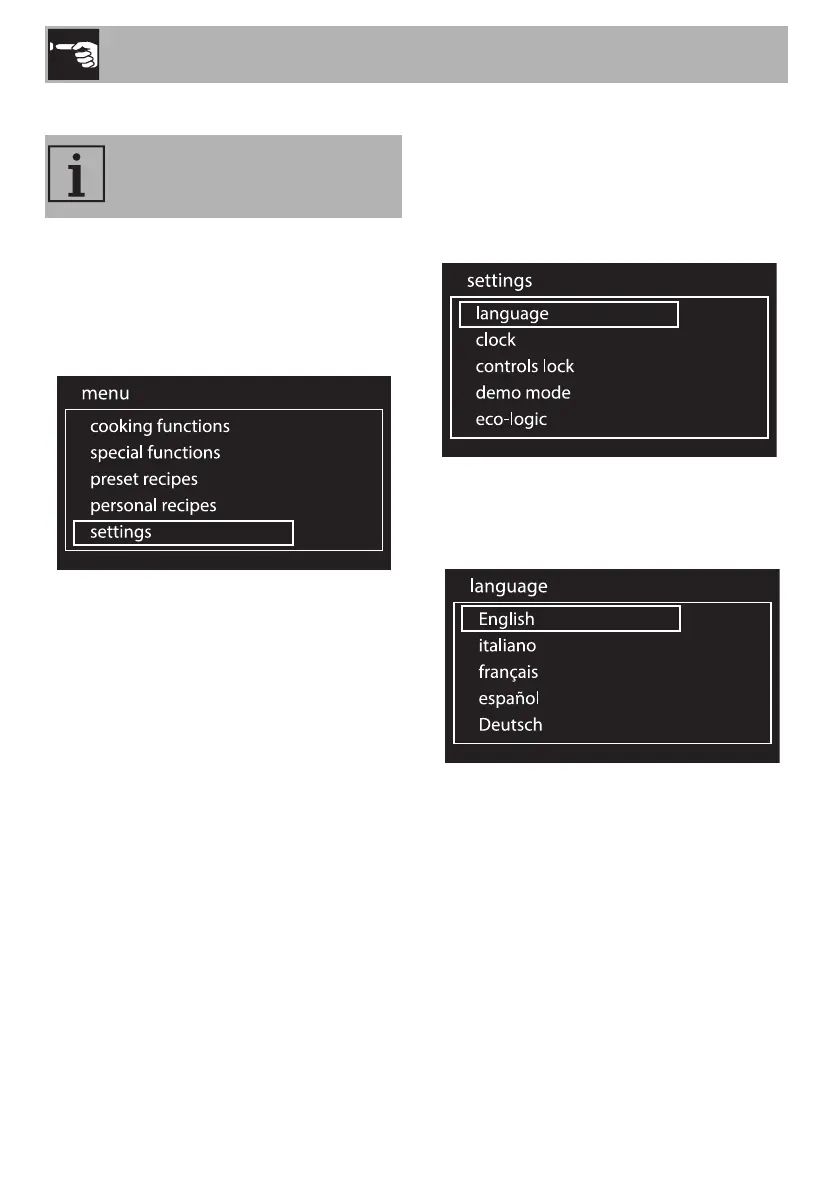
1. On the clock screen, press the control
knob to access the main menu.
2. Turn the control knob to the right or left to
select settings from the main menu.
3. Press the control knob to confirm.
Language
Sets the interface language from those
available.
1. Turn the control knob to the right or left to
select language from the “settings”
menu.
2. Press the control knob to confirm.
3. Turn the control knob to the right or left to
select the required language.
4. Press the control knob to confirm the
selected language.
The product configuration can be
set using this menu.


 To Next Page