12
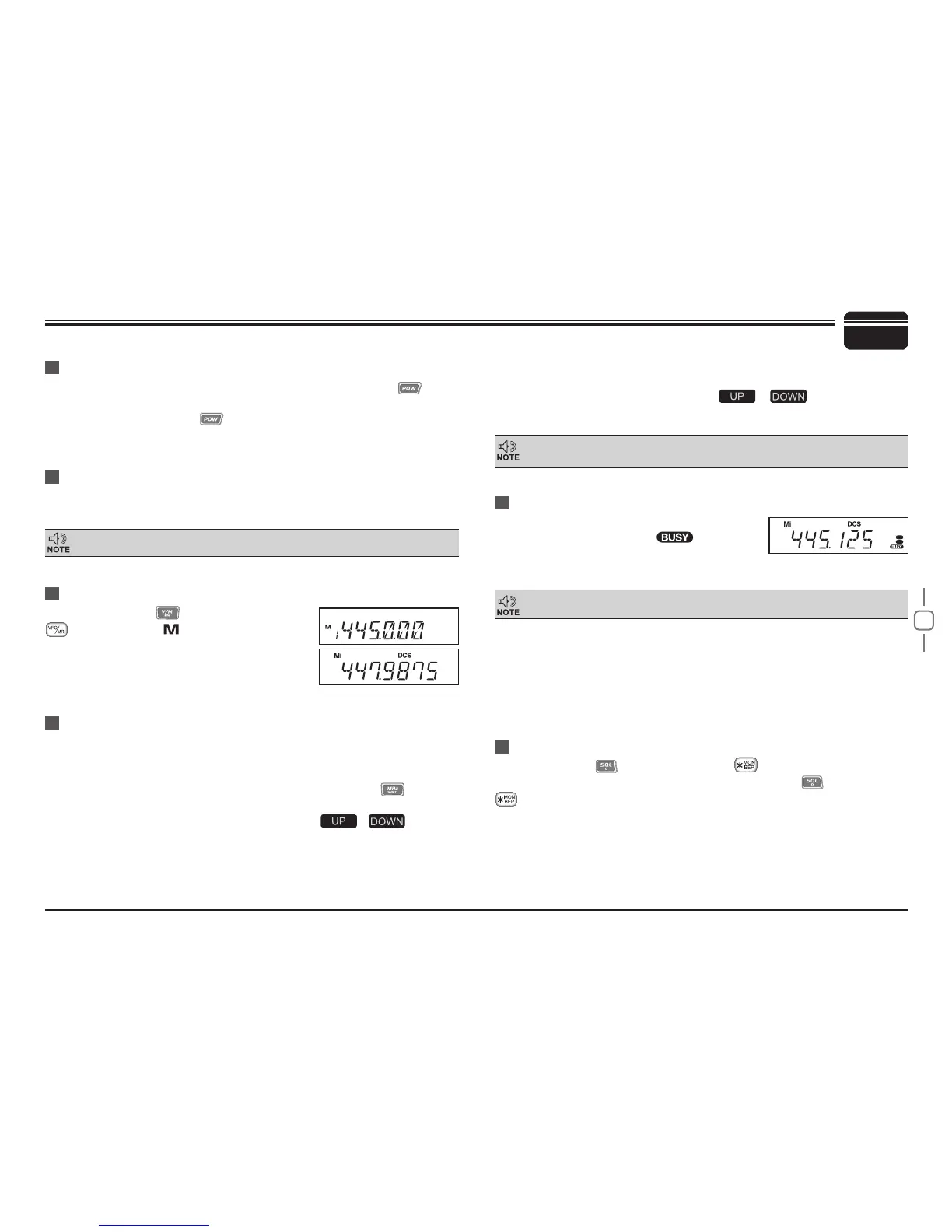
In standby, press key or Microphone's
key until appear , this indicates current
channel in channel mode. Repeat above
6
Basic Operations
Switching The Power On/Off
Adjusting The Volume
Switch between VFO and Channel mode
Adjusting Frequency/Channel THROUGH SELECTOR KNOB
Receiving
according to the option selected during installation Press the switch
or turn the ignition key to ACC (speed up) or ON (startup) position to
power on radio . Press the key for 1s or turn the ignition key to OFF
position to turn off.
When the channel you are operating is
called, the screen shows
and field
intensity, in this way, you can hear the calling
from transmitting party.
Under frequency (VFO) mode, you can change the current
1.
frequency to the desired one through selector knob; Turn clockwise
to increase frequency; turn counterclockwise to decrease. Every
gear will increase or decrease one step. Press
key, the
decimal point of frequency in screen will be auto-hidden. In this
status, turn selector knob or Microphone [
/ ] key will
increase or decrease frequency quickly by 1MHz step .
Under channel mode, you can change the current channel to the
2.
Tur n th e VO L kno b c loc kwi se t o i ncr eas e t he a udi o l eve l,
counterclockwise to decrease.
During communication, volume can be adjusted more accurate.
5k, 6.25k, 8.33K,10k, 12.5k, 20k, 25k, 30k and 50k total nine step size
available for this radio.
If the transceiver has set at higher squelch level, it may fail to hear the calling.
operation to switch between Frequency mode
(VFO) and Channel mode.
desired one through selector knob, clockwise turn to the forward
channel, anticlockwise turn to the backward channel. In relative
working mode, Microphone's [
/ ] key has same
function for adjusting frequency and channel.
Transmitting
Press and hold
key or press MIC's key to monitor for a while
to conrm the channel desired is not busy. Release
or press Mic's
key to return standby status,Then press and hold [PTT] key to speak
into microphone.
Please hold the microphone approximately 2.5-5.0cm from your lips
,
and then speak into the microphone in your normal speaking voice to
get best timbre.
When the channel you are operating is called,the screen shows BUSY
and field intensity,you can't hear the calling from transmitting party,it
means current channel receives a matching carrier but unmatching
signaling(Refer to CTCSS/DCS encode and decode or Optional Signaling
setup).


 To Next Page