13
Basic Operations
Transmitting Tone-Pulse
Transmitting OPTIONAL SIGNALING
Press and hold [PTT] key, then press Microphone [ ] key to
transmit current selected tone-pulse signal.
Press and hold [PTT] key, then press Microphone
key or press
key in front panel or press Mic's key to transmit pre-stored and
selected DTMF/2Tone/5Tone optional signaling.
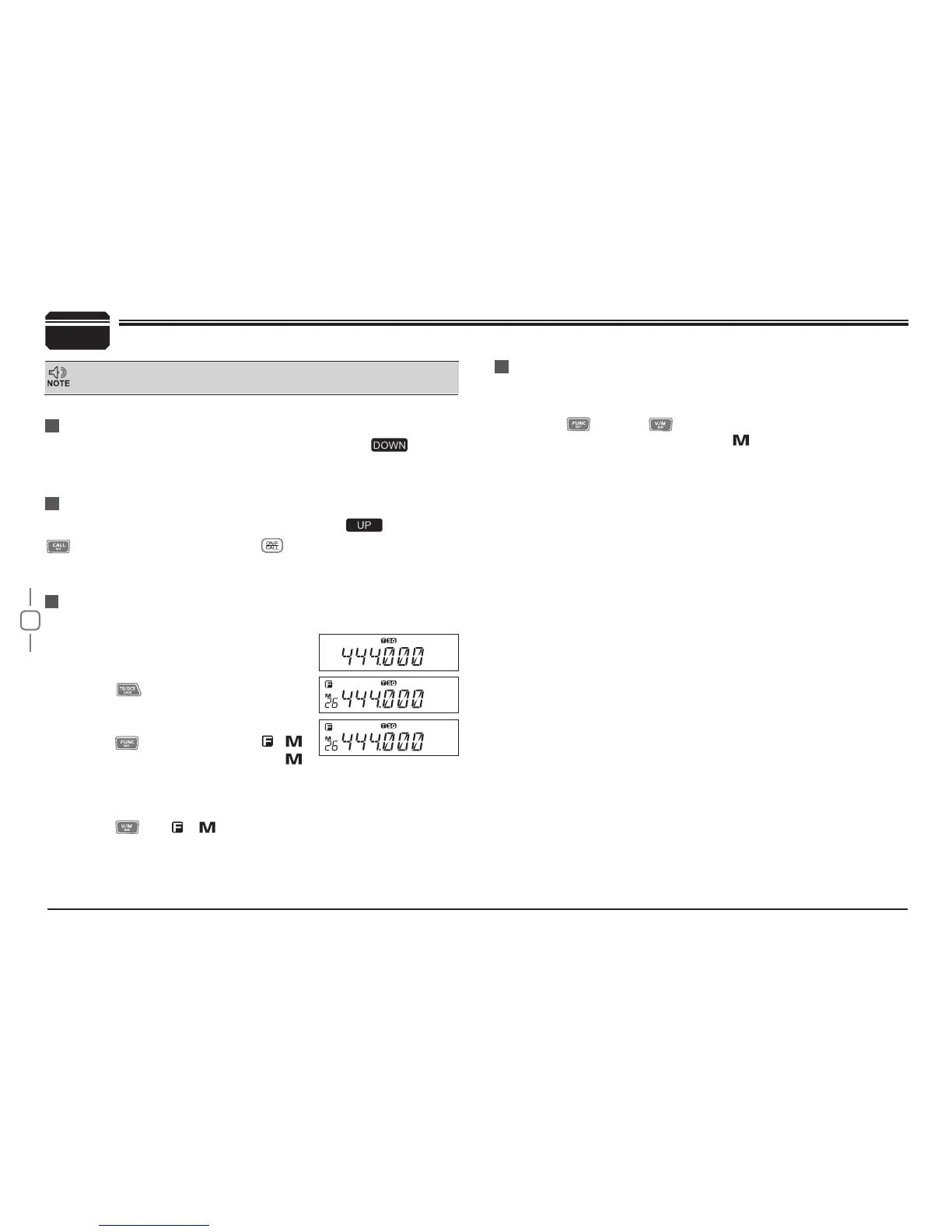
Channel Edit
Channel Delete
Under frequency mode (VFO), turn
1.
selector knob to select the desired
frequency or input frequency by MIC's
numeric keys.
Press
2.
key to enter CTCSS/DCS
signaling setup, turn selector knob to
select the desired signaling.
Press
3.
key, LCD appears ,
icon and current channel number,
icon ashing means current channel is
Under channel mode, turn selector knob to select channel which
1.
you want to delete.
Press
2.
key and
key together, current channel will be
deleted and emitted a prompt voice.
icon ashing means current
channel is deleted.
empty.
Turn selector knob to select the desired channel number to store.
4.
Press
5.
key, , icon and channel number disappears and
emit a prompt voice, thus the channel storage succeed.
6
Press and hold [PTT] key, LED lights RED and power intensity showed in
screen indicates it is transmitting, release to receive.


 To Next Page