26
8
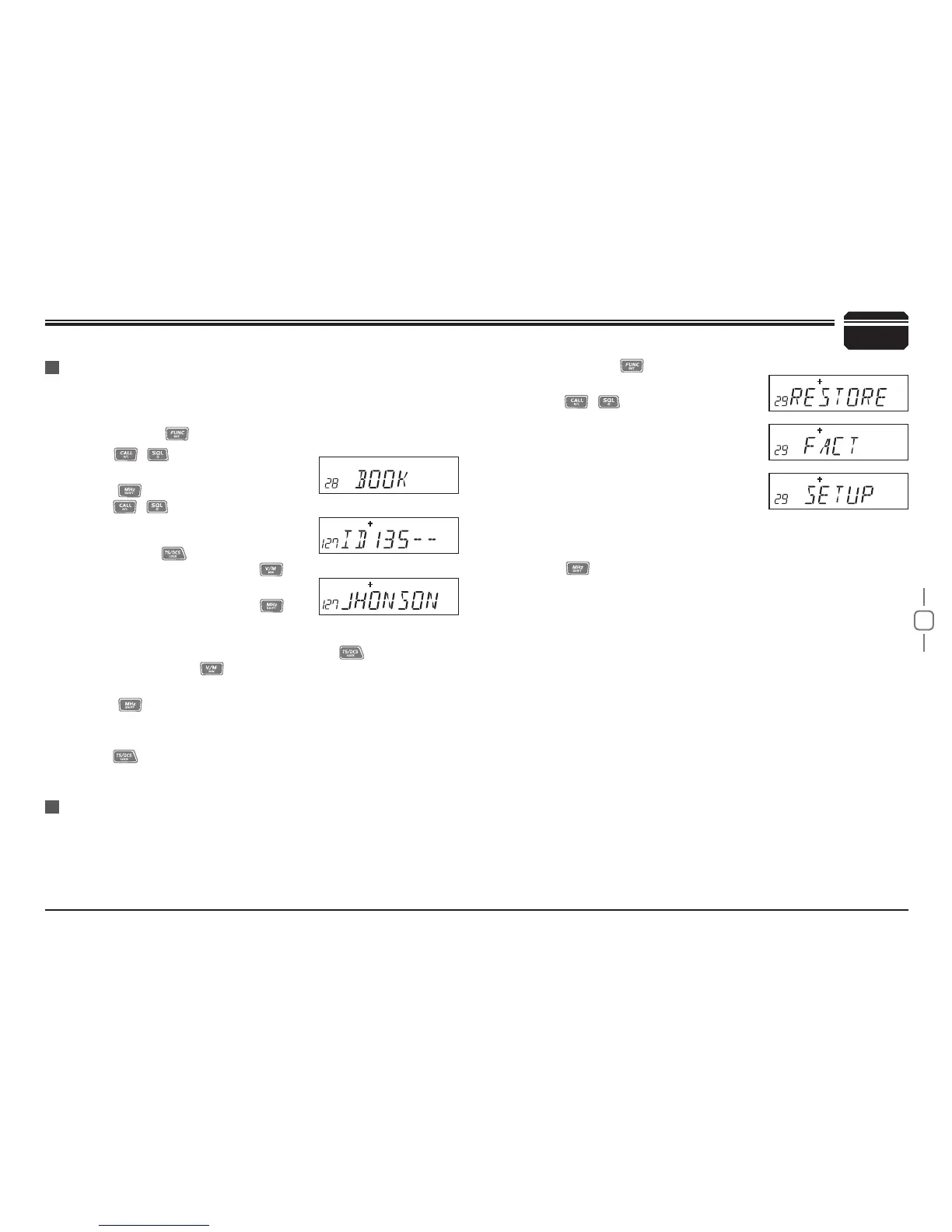
28 Address list
You store desired ID and corresponding ID name in address list.The
LCD displays ID corresponding name if radio received ANI calling and
nd matching ID in address list .
29 RESUME Factory Default
If your radio seems to be malfunctioning, resetting the microprocessor
may solve the problem. refer to page 33.
General Setting
Press and hold
1.
key for over 2s to
enter general setting menu.
Press
2.
/ key to choose No.29
menu, LCD displays"RESTORE".
Turn selector knob to select the desired
3.
operation.
FACT:Resume resume factory default
for channel,signaling and general
setting.
SETUP:Return initial setup for No.18-
No 27 general setting menu.
Press
4.
key to conrm.
Press and hold
1.
key for over 2s to enter general setting menu.
Press
2.
/ key to choose No.28
menu, LCD displays"BOOK".
Press
3.
to enter into ID setting,
press
/ to select the desired
group (00-127,total is 128 group ID).
Turn selector knob to select desired
number,press
confirm and move
cursor to next edition,press
to
clear out all digits.
After finishing edition,press
4.
to
conrm and enter into edition of current
group's ID corresponding name.Turn
selector knob to select desired letter,press
to move cursor
to next edition,Press
to clear out all letters. 00-127,total 128
group ID and corresponding ID name.
Press
5.
to confirm and return into main menu.Repeat above
Step 3 and Step 4 operations to edit multi-ID and corresponding ID
name.
Press
6.
key to return into standby status.


 To Next Page