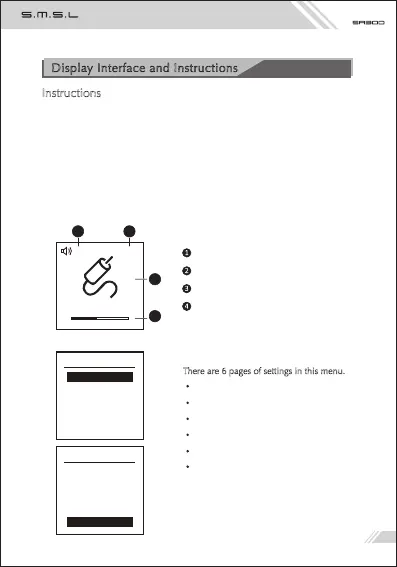
There are 6 pages of settings in this menu.
INPUT
EQ
Treble
Bass
Color
BT Clear
Digital volume indicator
Sound indication
Input selection indication
Volume display indication
1
2
3
Instructions
BUTTON
Power button: Short press to turn on the power, then short press to turn off
the power.
Input selection button: Every time you press , the input will switche between
Bluetooth, LINE IN, USB.
KNOB:
Outside the menu : Volume control
In the menu : Switch of menu items
Display Interface and Instructions
SETUP MENU
INPUT
EQ
Treble
Bass
Color
4
1
33 SBD
Line in
2
3
4
Press to enter the menu, rotate left and right to select
SETUP MENU
EQ
Treble
Bass
Color
BT clear
06



 To Next Page